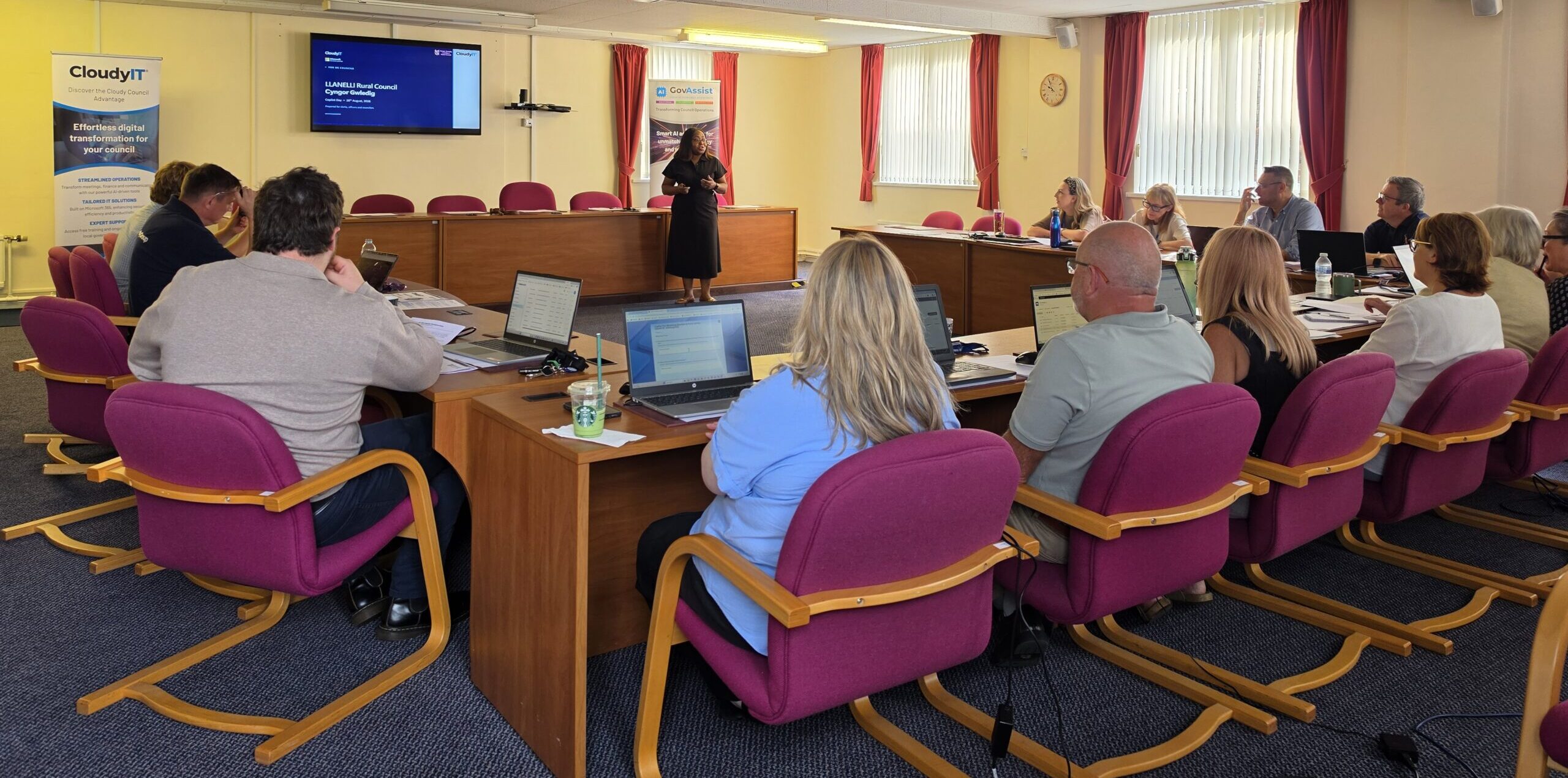
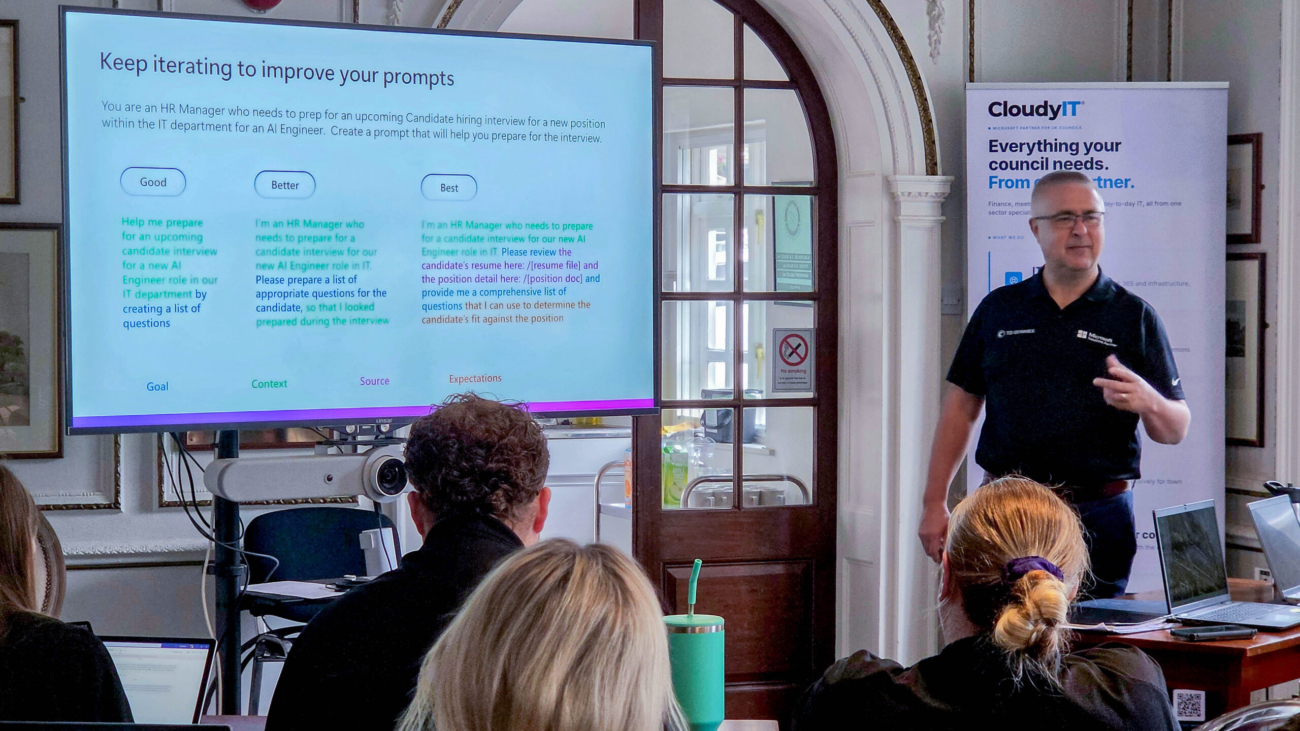
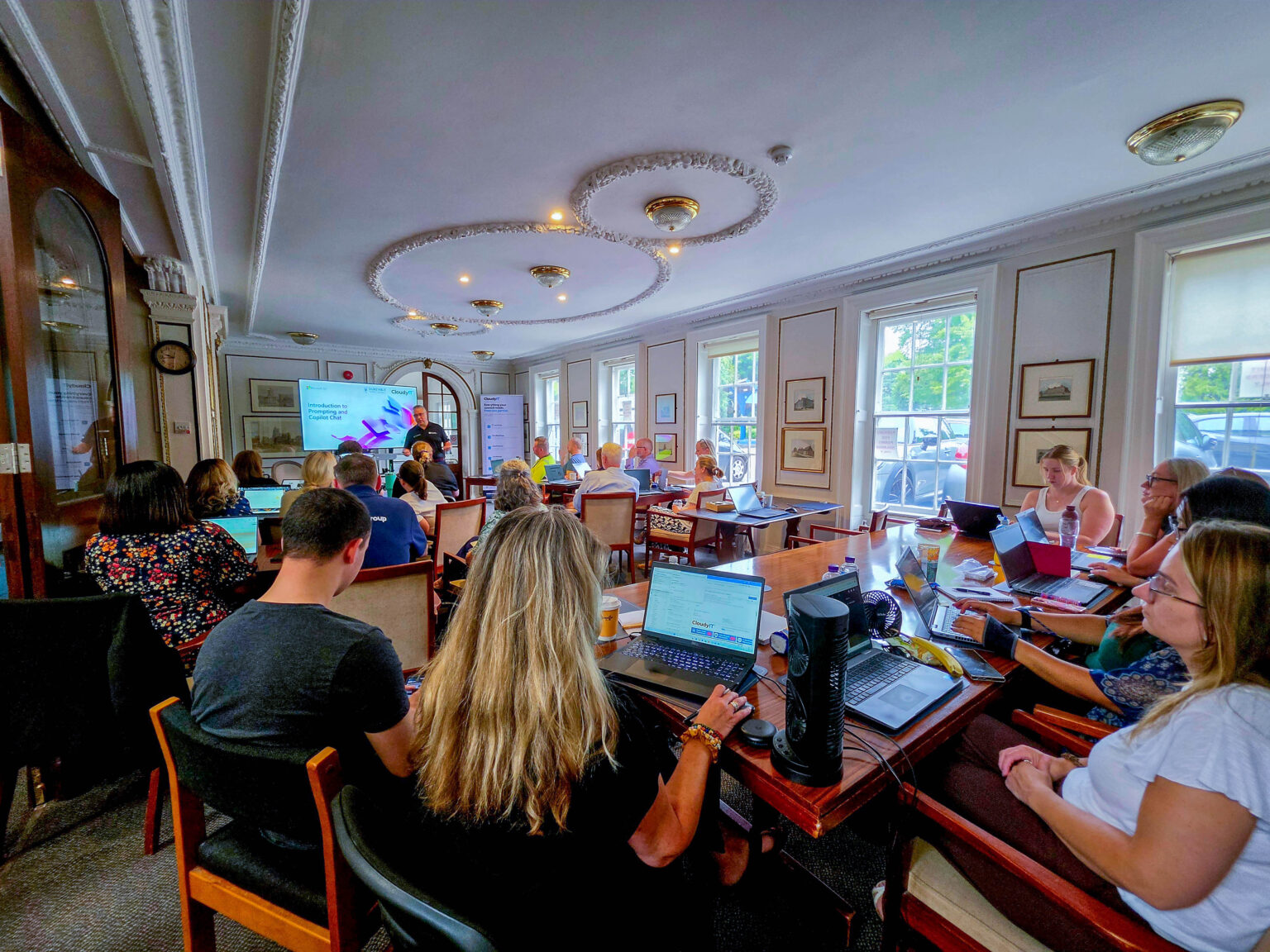
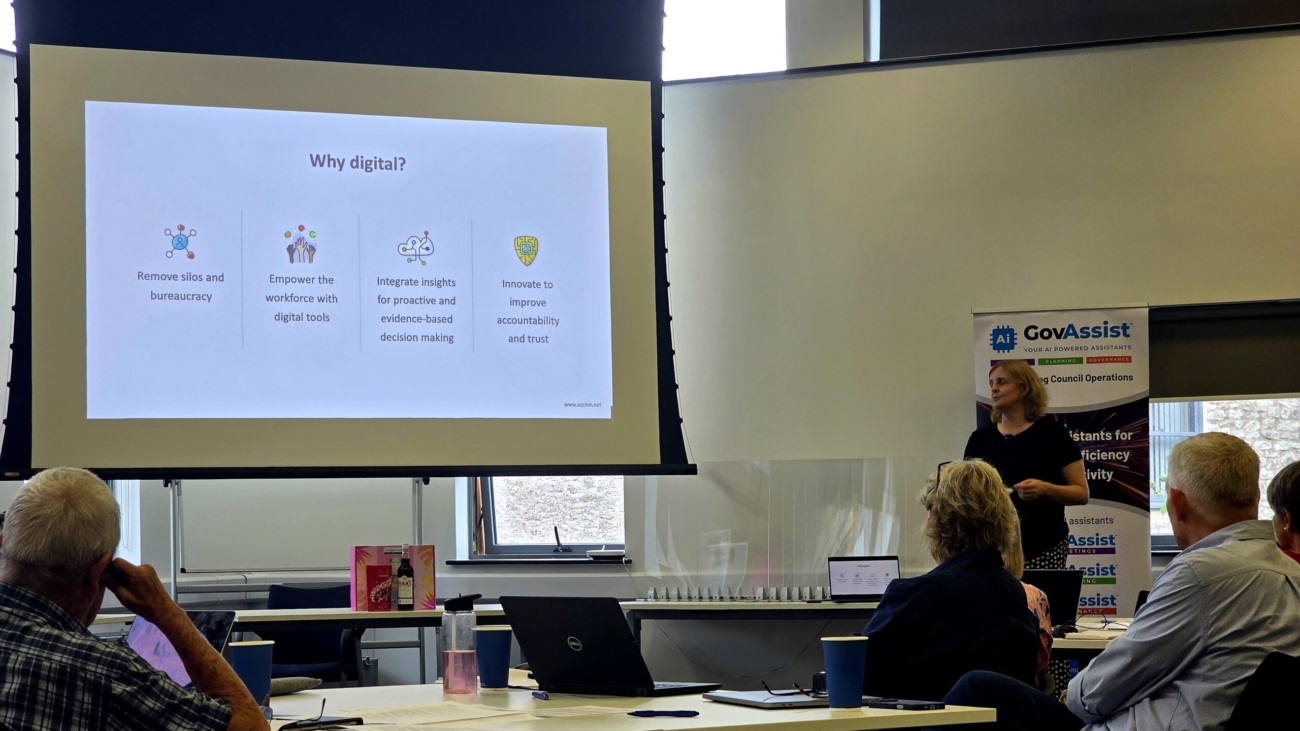
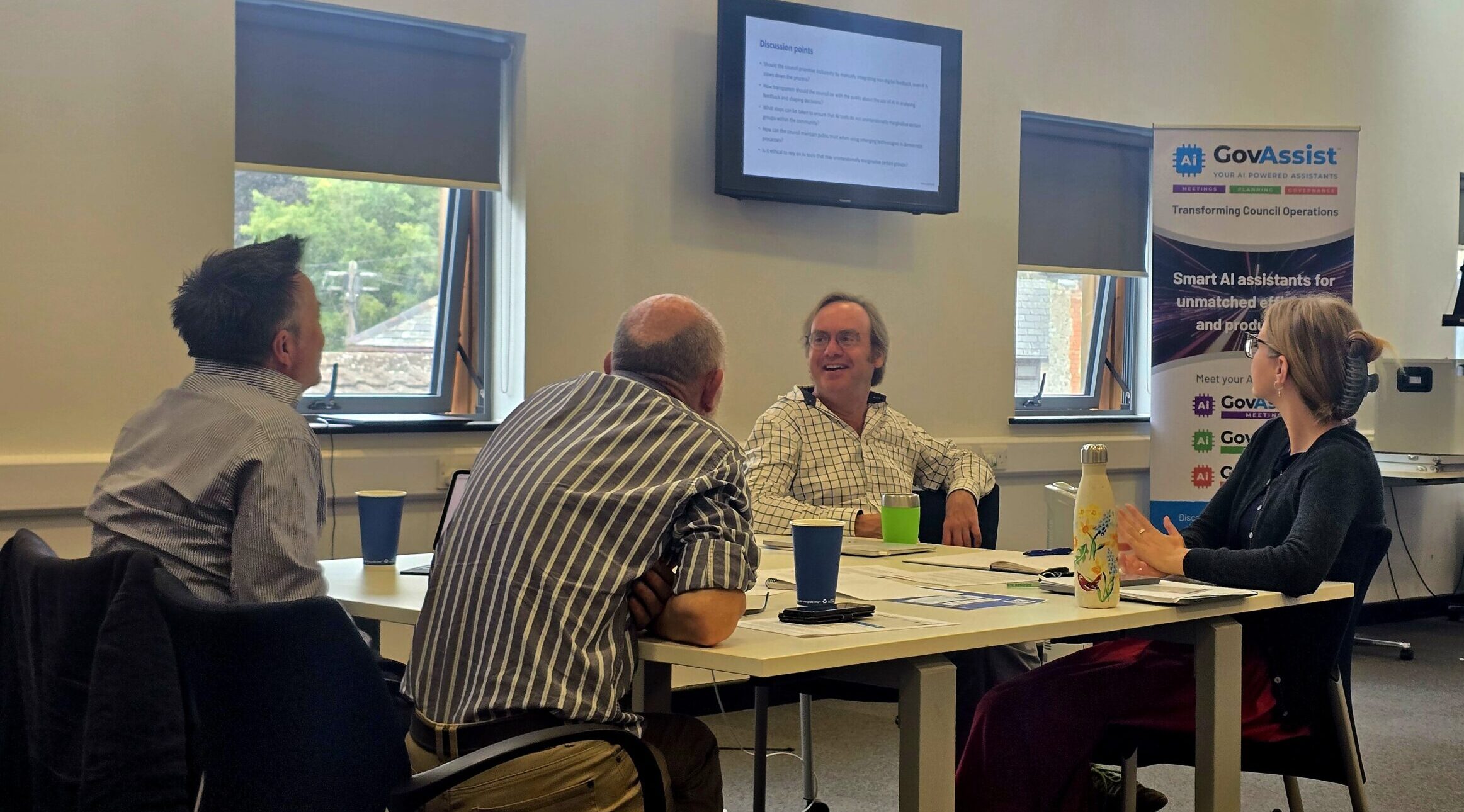
Guest speaker Seann Taylor from TD SYNNEX, in a black polo shirt gives a presentation to an audience of council delegates seated at tables with laptops. He stands next to a large digital display showing a slide titled "Keep iterating to improve your prompts," which compares "Good," "Better," and "Best" AI prompt examples for an HR manager role. To his right is a promotional banner for CloudyIT

How Copilot and AI Can Work For Your Council

Inside the Microsoft 365 Copilot Prompt-a-thon at Dunstable Town Council:

Most councils with Microsoft 365 Copilot are using a fraction of it. Licences are live, the icon sits in the ribbon, and officers ask it the occasional question — but the day-to-day work of committee reports, budget analysis and resident communications carries on exactly as before.

On Wednesday 15 July we ran a Copilot Prompt-a-thon with officers at Dunstable Town Council to change that. Here is how the day worked, what the team told us afterwards, and why we think this format is the fastest way for a larger council to turn Copilot licences into everyday practice.

The format: a fictional council with very real work.

Rather than a slideshow of features, we built the day around a scenario. Officers became the staff of Dunstable Town Council — a friendly market town with a £180,000 capital fund, a much-loved annual DinoFest, and a tired play area at Fossil Field that is hard to get around with a buggy or wheelchair. The Finance and General Purposes Committee wants a recommendation on how to invest.

Teams then took that task from start to finish across five apps, every step driven by a prompt:

  1. Excel — analyse the budget, service and resident survey data, and build the evidence base.
  2. Word — draft a formal committee decision report using the council’s own template.
  3. Copilot Chat and Researcher — strengthen the case with grant funding options and best practice from other councils.
  4. Outlook — announce the decision to residents, following the council’s Communications Style Guide.
  5. PowerPoint — turn the whole thing into a five-slide member briefing.

Every prompt was built with GCSE — Goal, Context, Source, Expectations. It is a simple framework, but it is the difference between “write a report” and a prompt that produces something an officer would actually put in front of members.

The most important design choice was using the council’s real templates. The decision report format, the information report and the style guide were all the genuine articles. The biggest “aha” of the day, for almost every team, came from handing Copilot a template and a style guide as examples of good — and watching it return on-brand, correctly formatted council work.

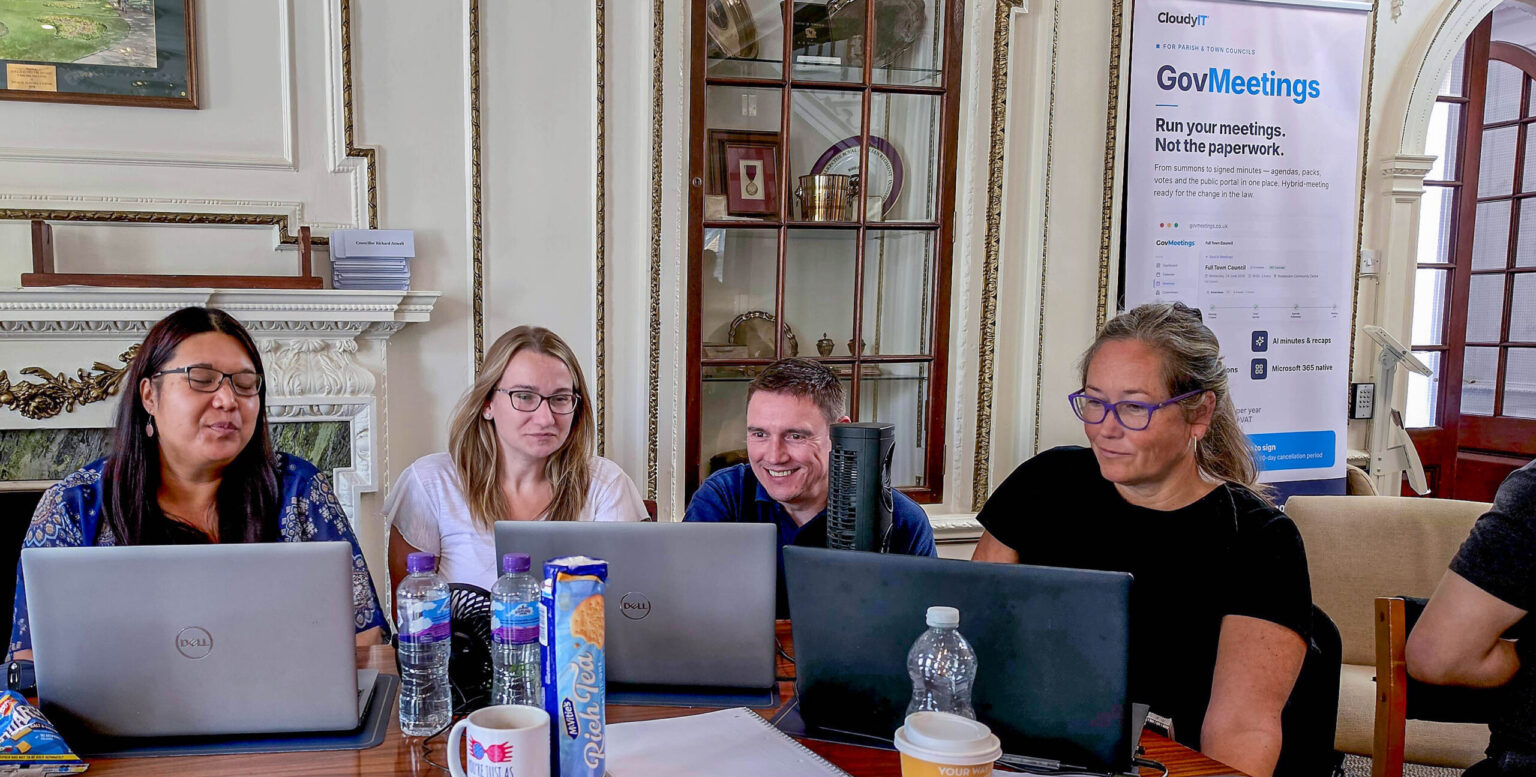
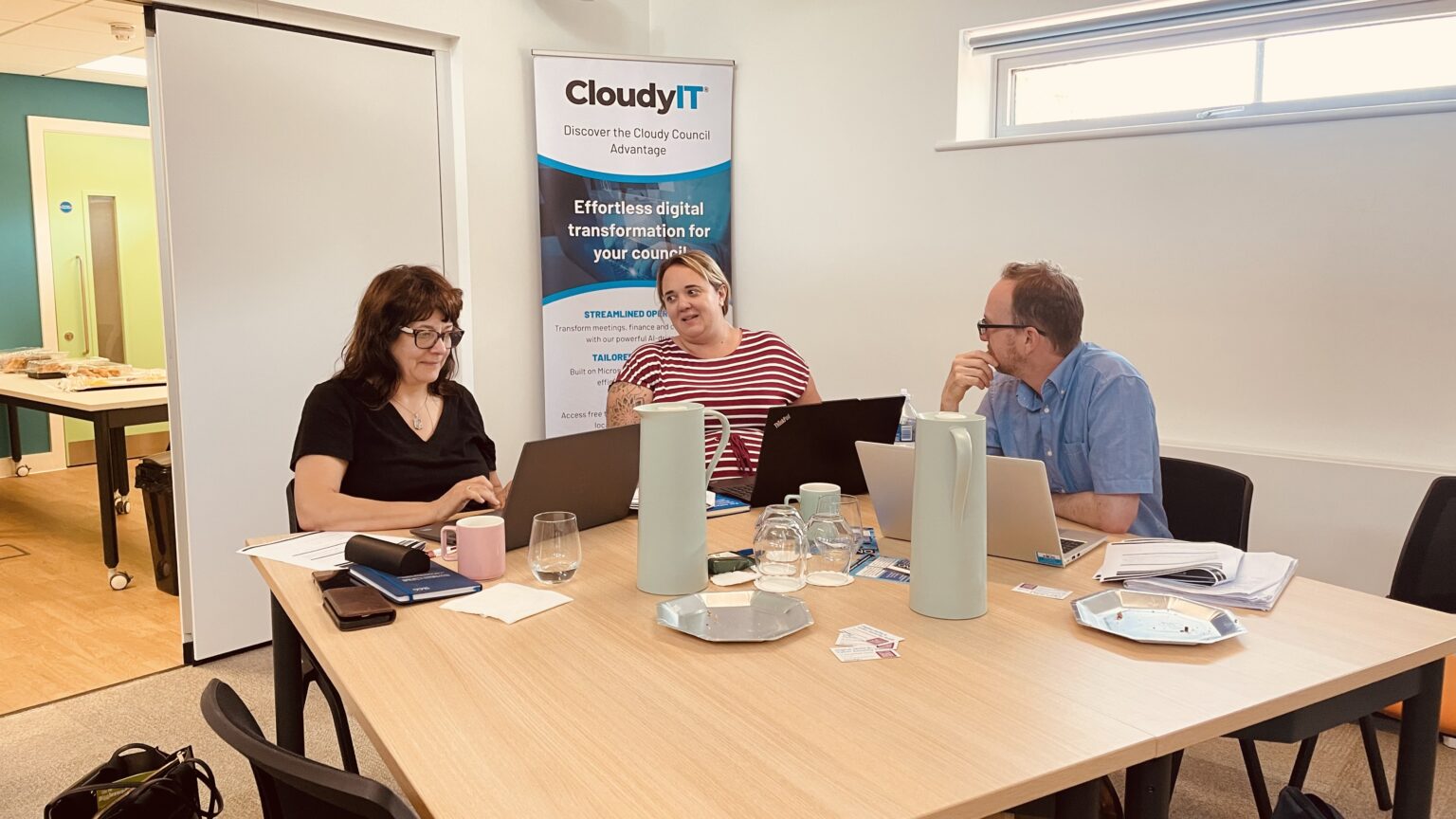
At CloudyIT's Prompt-a-thon in Dunstable, four people are seated side-by-side at a large, polished wooden conference table in an ornate room with classic decor, including a fireplace and arched display cabinet. They are looking at three open laptops, with various items like water bottles, notebooks, a mug, and a packet of biscuits scattered on the table in front of them. In the background to the right, a promotional pull-up banner for 'CloudyIT GovMeetings

What the team told us:

Officers from across the council completed the post-workshop survey — finance, community services, HR, democratic services, compliance and the cemetery service among them.

  • 4.4 out of 5 average overall rating — 100% of responses scored the day four or five.
  • 91% named the hands-on afternoon as the most useful part of the day.
  • 100% left feeling confident using Copilot day-to-day.
  • Excel and Word topped the list of apps officers will try first — the places where committee reports and budget work actually happen.
  • 100% asked for follow-up support from CloudyIT.

One officer summed up the shift we were after: rather than treating prompting as hit and miss, they now plan to build every prompt with GCSE and expect a usable result first time. Another left ready to point Copilot at policies and risk assessments. A third simply said the training was really enjoyable and very beneficial, with great delivery — which we will happily take.

The candid feedback matters just as much. Several officers had submitted real tasks from their own work before the day, and wanted more time spent applying Copilot directly to those. That is a fair challenge and it has already shaped the format: future Prompt-a-thons build a dedicated “your work, your prompts

Measuring what changes:

Enthusiasm on the day is easy to capture; impact takes longer. Alongside the workshop we ran a baseline impact survey with the same officers, recording how long everyday tasks currently take — drafting reports, summarising meeting notes, writing to residents — how often written work needs redoing, and how much of each week goes on repetitive admin.

The baseline picture will be familiar to any council. Most officers spend two to five hours a week on repetitive admin, and some closer to ten. Reports routinely take hours to draft. And before the training, fewer than one in five were using Copilot daily. Asked what they would do with recovered time, the answers were telling: strategic planning, developing policies and procedures, improving services, and finally clearing the backlog.

We will repeat the survey at six and 12 months. That turns the Prompt-a-thon from a training day into an evidenced programme — the council will be able to see, and show members, exactly where time has been recovered and what it has been reinvested in.

Why this works better than a demo:

A demonstration shows what Copilot can do. A Prompt-a-thon shows what your officers can do with it. The difference is retention: people remember the report they drafted, the chart they built and the resident email they rewrote — because it looked exactly like Monday morning’s workload. 

For larger councils, the format scales naturally. Mixed teams from different service areas work the same scenario, which surfaces exactly where Copilot fits each function — and gives officers something rarer than training: time with colleagues who share the same challenges. 

Stage 3 of a seven-stage journey:

A single training day does not change a culture, which is why the Prompt-a-thon is not a one-off. It is Stage 3 — Build AI Confidence — of the CloudyIT AI Pathway, a seven-stage journey that takes a council from first curiosity to sustained AI advantage.

The route in is free: a short online self-assessment that produces a genuine, tailored readiness report. From there, the Foundation stages benchmark where your teams stand, align senior leadership on policy and safe use, and build hands-on confidence through an Accelerator Day like Dunstable’s. The later stages turn that confidence into proven value — reusable prompts and agents, an AI hackathon to demonstrate what works in your own organisation — before a 12-month AI strategy puts the governance, roles and cadence in place to sustain it. A digital skills eLearning hub runs underneath every stage, keeping momentum between sessions.

Dunstable’s follow-up requests — short how-to guides, prompt clinics and role-specific training — are exactly what the stages after an Accelerator Day are designed to deliver.

Find out how AI could work for your council

If your council has Copilot licences but usage is patchy, a Prompt-a-thon is a single day that changes the conversation — and the first step costs nothing. Take CloudyIT’s free AI readiness assessment, which asks a simple question — is AI helping or harming your organisation? — and produces a genuine, tailored report on where you stand.

Then talk it through with Simone. It is a 30-minute conversation about your results — no charge, no pitch — covering what your scores mean for your council and which stage is worth doing first. Book a conversation.


Workshop created and delivered by CloudyIT, the UK Microsoft partner for local councils. 
Clerks and officers at the Clerks AI Day in Milton Keynes learning about AI for town and parish councils

AI for Town and Parish Councils – Clerks AI Day, Milton Keynes

What Happened at the Clerks AI Day, Milton Keynes:

On Tuesday 7 July we spent the day at Campbell Park Community Council in Milton Keynes with clerks, deputy clerks, RFOs, officers and councillors from across Milton Keynes, Bedfordshire, Buckinghamshire, Northamptonshire and Hertfordshire. The brief was the same as every Clerks AI Day: a practical, hands-on day of AI for town and parish councils — real council scenarios, not generic technology demos.

Delegates came from councils of every size, from Soulbury Parish Council to Biggleswade and Towcester Town Councils, and our thanks go to Campbell Park Community Council for hosting us in The Chamber.

The Verdict From the Room:

The feedback forms went out at the end of the day, and the results speak for themselves. Every delegate who responded rated the day 4 or 5 out of 5, and nearly all of them told us the content was very relevant to their work. But it’s the written comments that tell the real story — the value was in getting hands-on.

  • “The opportunity to try out the tools in real time — being able to more accurately assess the long-term usage and value for money.”   Clerk, Woughton Community Council
  • “Confidence in using AI, and how to use it as a tool to save time and to better advise council.” — Deputy Clerk, Towcester Town Council

  • “Learning about prompts and how to get a more detailed and tailored answer.” Clerk, Biggleswade Town Council

Delegates working on laptops during the workshop

Planning Took Centre Stage:

If one theme dominated the day, it was planning. We were joined by Louise Stubbs, Planning Consultant at ONH Planning For Good — a former officer at Buckingham Town Council and a serving councillor, so she knows exactly where planning work lands on a clerk’s desk.

Louise’s session covered the areas where town and parish councils feel planning pressure most: responding to planning applications, running consultations, neighbourhood planning, and making sense of S106 agreements. It ran for well over an hour with questions throughout, and the discussion carried straight on into lunch — always the sign of a session that hit the mark.

What made it more than a talk is that delegates could put it into practice straight away. The ONH Planning Assistant was switched on inside GovAssist for everyone in the room, so in the afternoon workshop clerks were working through real planning scenarios — summarising application documents, drafting consultation responses and pulling the relevant detail out of lengthy reports.

One deputy clerk told us the ability to compare documents while teaching the assistant about your own council “will be useful for big documents like tenders and large planning applications” — which is exactly the point. AI for town and parish councils works best when it takes on the long, dense reading that eats a clerk’s week.

Louise Stubbs of ONH Planning For Good speaking about AI in planning for town and parish councils

Hands-on With GovAssist

The morning opened with governance and risk — the ground rules every council should have in place before AI touches council work — and then moved straight into GovAssist, the AI platform built for the council sector and now used by nearly 600 councils. Delegates set up their accounts, tried the assistants against their own council’s documents, and worked through prompting techniques with the team.

There was also a first look at GovRedact, for redacting names and sensitive detail before publication, and GovMeetings, for AI-supported agendas, minutes and committee management — both of which featured heavily in the “tell me more” boxes on the feedback forms. And delegates at Milton Keynes had something extra: a live-streamed Clerks Forum session running in parallel, delivered by Chief Executive Michael Bracey.

What Delegates Want Next:

The improvement suggestions were as useful as the praise, and they’ll shape the next event: more time to consolidate after each demo, slides shared in advance, and pre-loaded council documents so the workshops start faster. Several delegates also asked for a more advanced follow-on session — a good problem to have, and one we’re already thinking about.

Town and parish council clerks networking at the CloudyIT Clerks AI Day in Milton Keyne

Join Us At The Next One:

The improvement suggestions were as useful as the praise, and they’ll shape the next event: more time to consolidate after each demo, slides shared in advance, and pre-loaded council documents so the workshops start faster. Several delegates also asked for a more advanced follow-on session — a good problem to have, and one we’re already thinking about.

Akhils Blog Post Hero

Akhils Silver DofE and Work Experience Journey

How I found CloudyIT:

I first found out about CloudyIT from my computer science teacher, and I’m glad I did because I’ve learned many useful skills that are sure to help me in the future. 

I first joined when I was in Year 9, where I took part in one of the Cloudy Foundation’s projects. It was really fun and introduced me to the concept of low-code.

Working With CloudyIT on My Silver DofE Award:

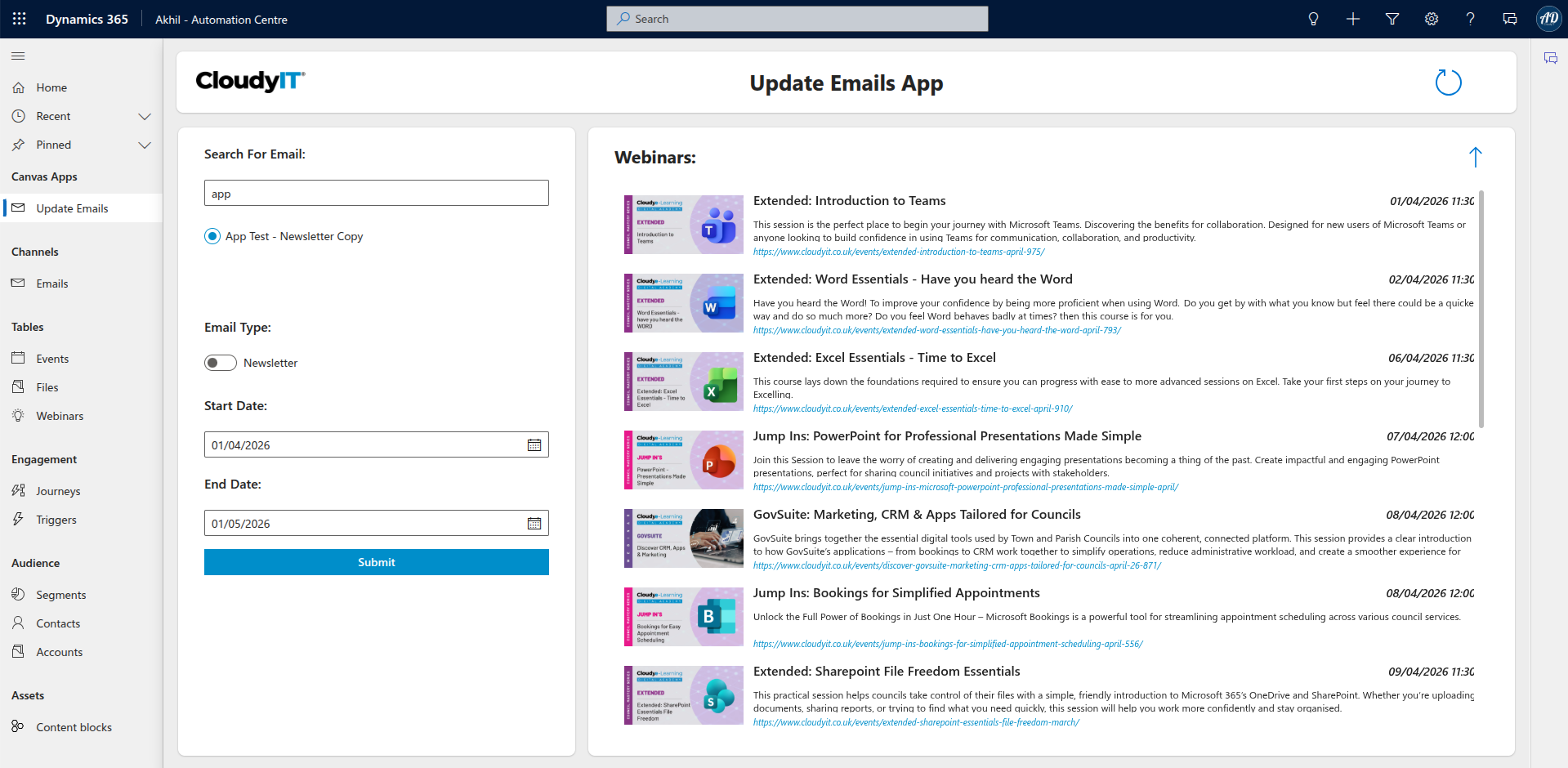
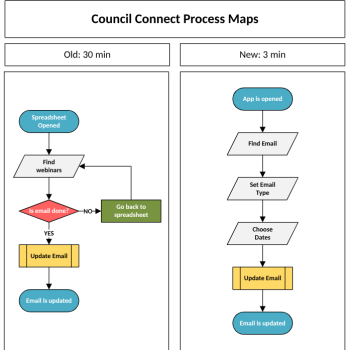
Over my 6 months of DofE volunteering, I used many services such as Power Apps and Power Automate, many of which I had never seen before. Thanks to the help of CloudyIT, I learned the skills needed to build apps and automations that reduced the time needed to create Council Connect emails from 30 minutes to just 3! 

At the time of writing, I’m a Year 11 student preparing for my GCSEs. I’ve just finished a week back at Cloudy, where I worked on the next generation of emails. If you get an email about CloudyIT’s webinars, remember—that was me 😊. 

It really was a great experience, and I would recommend it to anyone with an interest in IT. I look forward to working with CloudyIT again over my long, well-deserved summer break! 

Project 1 – CALC and Newsletter Emails

At this point, I was already using Dynamics 365 to manage webinars (which was much better than using an Excel spreadsheet). My previous MA PowerApps displayed the information far more clearly, and I had already built a basic automation that could generate HTML and insert it into emails. 

This time, Cloudy launched two new types of emails – CALC training emails and newsletters, which list upcoming webinars. 

I began work straight away, revisiting my previous MS PowerApps and automations before creating a completely new APP that saved even more time. The best part was that it wasn’t just for me – Darcey and Kerrin from marketing would be using my app too, which made me feel really proud of my work. I even had the chance to train others on how to use it. 

What I also appreciated was the support from the team. We had daily meetings throughout the week to review my progress, which made it clear that what I was doing was important and valued.

Calc Planning

Project 2 – Order Automation 

A good order isn’t just about the product – it’s about what happens after. Before, the Sales Department had to manually send follow-up emails to customers. The problem is, Cloudy gets a lot of orders. That’s great, but it also means a lot of emails. 

As part of my next project, I was tasked with creating a customer journey in Dynamics 365 that would automatically send friendly follow-up emails after a purchase. 

Although I wasn’t able to finish the full journey, I did manage to get one email working. I put a lot of thought into the design and overall look of it. Now, the developers at Cloudy have a strong starting point to build the rest. 

That was another thing I really enjoyed about my time at Cloudy – the solutions I created were actually being used by real people. 

GovMeetings - Whats New  Blog

Decisions Updates: Customer Communication

What’s New in GovMeetings: 

We’re pleased to share a number of recent updates to GovMeetings (Decisions), designed to make meetings easier to manage, improve accuracy, and give you more control over your outputs. 

To bring this to life, imagine a typical council meeting. Notes are being captured, actions agreed, and multiple people are contributing. After the meeting, time is often spent reviewing minutes, clarifying decisions, and making sure nothing has been missed. These latest updates are designed to reduce that effort, while giving you greater confidence in what’s produced.

Here’s what’s new:

  • Automatic Meeting Recaps: This is one of the key additions. When enabled, Decisions AI will automatically post a structured summary into your Teams meeting chat as soon as the meeting ends. This includes key discussion points and agreed actions, helping officers and clerks quickly review outcomes and move forward without needing to manually compile notes.  
  • Edit AI Minutes Before Sharing: You can now review and refine AI-generated minutes before exporting them. This includes adjusting wording, adding or removing decisions, and updating tasks. It means you can use AI as a starting point, while still ensuring the final version reflects exactly what was agreed in the meeting.  
  • AI Minutes Version History: A version history panel is now available within AI minutes, allowing you to see how content has evolved over time. Whether changes have been made by AI or manually, you can track them and revert to an earlier version if needed, providing reassurance when editing or refining minutes.  
  • Assign Presenters in AI Agenda Prompts: When creating an AI Agenda, you can now include presenter names directly within your prompt. Decisions will automatically assign them to the relevant items, reducing the need for manual updates and helping streamline meeting preparation.  
  • Unified Licence Management: Standard and AI licences are now managed together within a single view in the Decisions Admin Portal. This simplifies administration and makes it easier to manage access and settings across your organisation.  
  • Agenda Improvements: You can now highlight text within agenda item descriptions to draw attention to key information such as instructions or supporting materials. In addition, standing item templates can now be viewed and edited, giving you greater flexibility and control over recurring agenda items.  

We’ll be demonstrating these updates in more detail during our upcoming webinar, where you’ll be able to see how they work in practice. 

20251107_145322(1)(1)

AI in Local Government: Reflections from the Northamptonshire Workshop

A Day Shaped by Councils, for Councils

On 7 November 2025, local councils from across Northamptonshire gathered at Northants CALC for a day of open conversation about how artificial intelligence could shape the future of local governance. Hosted in partnership with CloudyIT and Breakthrough Communications, the workshop invited councillors and clerks to shape the agenda through an Open Space format – ensuring real questions, real concerns and real opportunities led every discussion.

The day was guided by Jon Harvey, Town Councillor, former Mayor of Buckingham, and an experienced organisational development specialist. His facilitation set a warm, curious and purposeful tone for what proved to be an honest and forward-looking conversation.

What Councils Explored Together

Many councillors arrived unsure whether AI had any real connection to their role. By the end of the day, most had uncovered practical, meaningful ways AI can support members in understanding issues, preparing for debates, engaging with residents and making more informed decisions.

Examples included:

  • Simplifying complex topics such as planning regulations, governance guidance or national policy
  • Summarising long reports, consultation documents or briefing papers before meetings
  • Exploring community priorities through surveys, sentiment analysis or quick research
  • Reviewing past council decisions and minutes to understand context and history
  • Checking the implications of proposals using neutral, trusted reference material
  • Producing clearer, plain-English updates for residents
  • Understanding emerging risks or opportunities using sector-approved sources
  • Comparing options or scenarios to support more confident, well-informed decision-making

These examples resonated strongly with members, who appreciated tools that help them “get to the heart of an issue”, “understand the detail more quickly” and “feel more prepared for conversations and meetings”.

Alongside the opportunities, councillors also discussed risks,  from misinformation and fraud, to safeguarding and public trust. The discussions emphasised the need for human oversight, transparent use of AI, GDPR compliance and reliance on neutral, authoritative sector guidance rather than unverified sources.

A consistent theme was the need for accessible learning. Councillors said they would welcome guidance on assessing reliability, understanding different AI tools, seeing real examples from other councils and exploring how AI can support community engagement, scrutiny, policy exploration and resident communication.

A Sector Ready to Learn and Move Forward

Despite a range of starting points, participants described the workshop as “eye-opening”, “reassuring” and “far more relevant than expected”. Many acknowledged arriving sceptical – unsure whether AI had a meaningful place in local government, and leaving with a clearer, more confident outlook.

The collective view was clear: AI can support councillors, not replace them. However, it can help them grasp complex information quickly, improve clarity, widen access to data, strengthen debates and reduce time spent trawling through documents. But it also requires responsibility, transparency and careful judgement.

Throughout the day, participants used GovAssist, a secure AI platform designed specifically for local councils. It demonstrated how AI can be applied safely in a member-facing context: summarising documents, providing governance guidance, supporting planning queries and offering reliable sector-based information. Explore GovAssist at https://govassist.co.uk/.

We extend a sincere thank you to everyone who attended, shared experiences, raised questions and contributed to the discussions. The openness and curiosity in the room reflected the very best of local democracy.

A group of people engaged in a collaborative talk and looking interested.

What Participants Told Us

The reflections shared at the end of the day highlighted just how much the workshop shifted perspectives and built confidence.

Many arrived unsure how AI related to their role. They left feeling clearer, more informed and, in many cases, genuinely excited about the possibilities.

Highlights included:

  • “I thought AI was irrelevant to small councils – now I see it’s highly relevant.”
  • “I’m more confident explaining the benefits to other councillors.”
  • “I now understand both the opportunities and the issues far better.”
  • “With the right tools, AI could really support productivity.”
  • “The session revealed gaps in my understanding that I now want to develop.”

Participants also shared key takeaways:

  • “I can reduce time spent reading, researching and preparing for meetings.”
  • “Even very small parish councils can engage with AI meaningfully.”
  • “Open discussions helped clarify both risks and opportunities.”
  • “Councils need a consistent, supported approach.”
  • “Training and guidance will be essential as tools continue to evolve.”

Future sessions could explore:

  • Examples from other councils
  • Guidance for community engagement and research
  • Support for larger projects and strategic decisions
  • Understanding tools, licensing and safe-use approaches
These reflections showed a sector eager to continue learning together.

What Happens Next:

The Northamptonshire workshop marked the beginning of a wider effort to support councils as they explore the role of AI. We’re now planning more AI Members Days across the country, working with CALCs and sector partners to continue the conversation.

If your CALC would like to host an AI workshop or if you’d like to join the list for future events, please register your interest.

If you would like the full set of questions and answers generated during the Northamptonshire workshop, please contact:
Tina Cunnell – [email protected]

And if you are a councillor, clerk, CALC officer or sector partner wanting to explore how AI can support your council’s understanding and decision-making, you can sign up to GovAssist here: https://govassist.co.uk/

A photo of David Hall Hall, taken over his shoulder. David looking happy at how the event is going.
Update GovFinance Blog

GovFinance: Driving Council Efficiency Through Innovation, Automation, and AI

As Microsoft evolves its Dynamics 365 Business Central platform through its twice-yearly Wave updates, CloudyIT continues to develop its own enhancements in step – creating powerful, council-focused tools that build on Microsoft’s foundation. 

The upcoming 2025 Wave 2 release from Microsoft places a strong emphasis on automation, AI and streamlined financial workflows. CloudyIT’s latest GovFinance releases align with that direction –  embedding automation, budget control and approval intelligence tailored specifically for local councils. 

While Microsoft’s platform investment ensures a stronger, smarter base system, CloudyIT’s innovation ensures it truly works for local government. Together, they deliver a modern, integrated, and continuously improving finance experience.

Continuous Improvement: CloudyIT’s 2025 Releases

Throughout 2025, the CloudyIT development team has released multiple GovFinance updates, each designed to simplify processes, improve visibility, and increase automation. 

October 2025 – App v40.0 

  • Purchase Quote Budget Check: Councils can now enforce budgets automatically before approvals, choosing between strict enforcement (“Error”), warnings, or flexible bypass. 
  • Improved Approval Visibility: Approval entries now appear directly in Purchase Quotes for clearer oversight. 
  • Enhanced Purchase Invoice Lists: Posting descriptions now display in list views to speed up review and reconciliation. 

These updates strengthen governance, improve audit readiness, and reduce the risk of overspend. 

October 2025 – App v36.0 

  • New Vendor Request Automation: Teams users can create vendor requests that automatically route for approval, trigger vendor creation, and notify requesters once complete. 
  • Live Dashboard Tiles: Track vendor requests in real time. 

This replaces manual data entry with a fully automated workflow – improving both accuracy and accountability. 

September 2025 – App v34.0 

  • Budget Field in Chart of Accounts: A live budget column linked to the current indicator. 
  • Vendor Approval Controls: Automatically prevent PO creation until a vendor has been approved. 
  • Automated Quote-to-Order Conversion: Processes now run via job queues, reducing repetitive manual work. 

Every update reflects a focus on automation, accuracy, and compliance — key priorities for councils managing tight budgets and complex workflows. 

Built on Microsoft’s Intelligent Cloud

Microsoft’s Business Central Wave 2 release (October 2025) introduces more ways for users to work intelligently – including AI-powered Copilot featuresenhanced financial automation, and improved reporting tools. 

CloudyIT’s GovFinance builds directly on these advances, translating Microsoft’s enterprise-grade innovation into features designed specifically for councils: 

  • Automated budget and approval checks, 
  • Teams-based vendor requests, 
  • Simplified cost centre and EMR reporting, and 
  • Streamlined workflows across purchasing, invoicing and reconciliation. 

By staying closely aligned with Microsoft’s roadmap, CloudyIT ensures GovFinance remains secure, modern and continuously improving – so councils always benefit from the latest innovations without disruption.

Real Results in Action: Warfield Parish Council

The value of this innovation is best seen in practice. Warfield Parish Council has modernised its financial processes with GovFinance, transforming how its team works day-to-day with clearer visibility, improved control, and time savings across financial tasks. 

You can read their story here: Warfield Parish Council: Growing with GovFinance 

Watch the Warfield case study video below to see how GovFinance has helped their council streamline operations and focus more time on community priorities. 

Delivering More Value, Not Just More Cost

We recognise that Microsoft’s licence price adjustments will prompt many councils to review their systems. But with both Microsoft and CloudyIT continuing to add powerful automation, AI and governance features, the overall value of the GovFinance platform has never been greater. 

CloudyIT’s ongoing investment means councils are not simply paying for software — they’re gaining a continually evolving platform that enhances transparency, compliance, and efficiency year after year. 

In short: 

Microsoft’s Wave updates bring innovation. CloudyIT makes it meaningful for councils. 

And with GovFinance, that partnership continues to deliver genuine value where it matters most in the day-to-day running of local government.

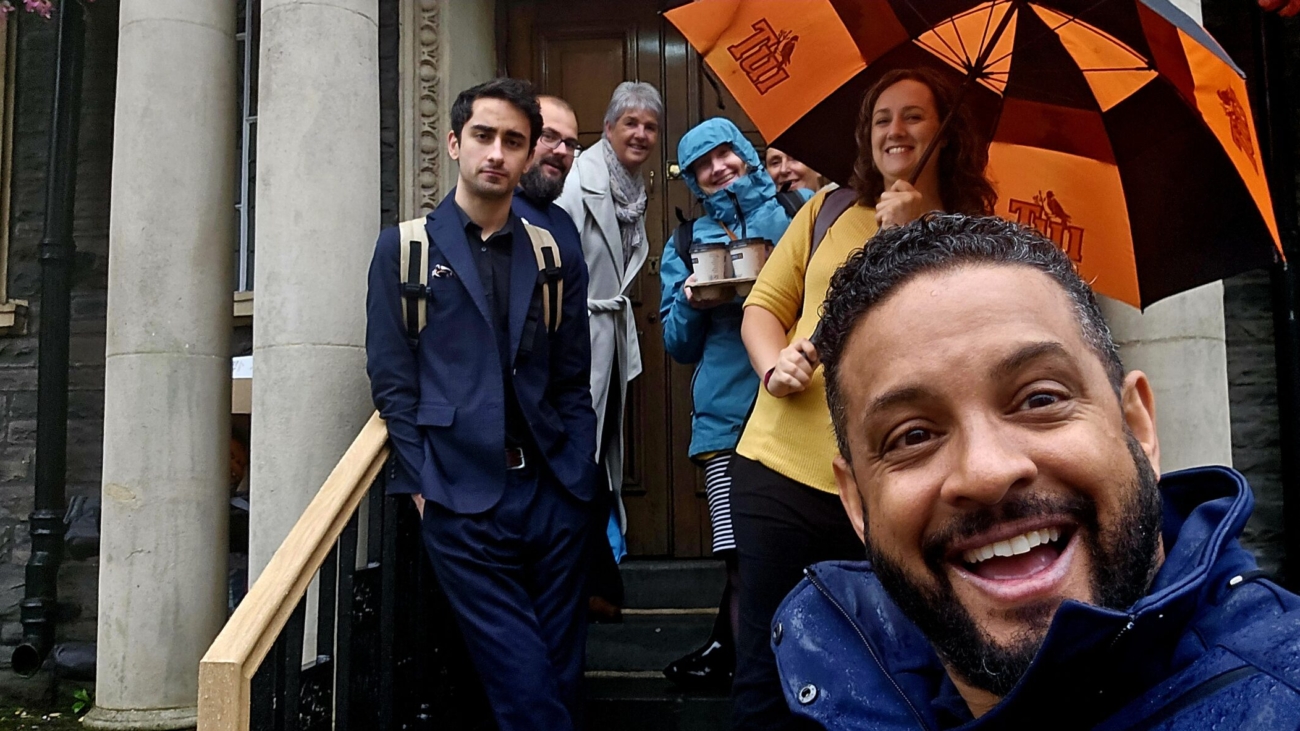
A group of people standing on the steps in the rain.

When it rains, it pours (and sometimes blows a fuse): Highlights from DisGovery Day Wales

Wales gave us a warm (and very wet) welcome as we hosted our first Welsh DisGovery Day at Maesteg Town Council this September. 

The rain may have been relentless outside, but inside, the atmosphere was buzzing. Clerks, officers, and digital champions from across South Wales joined us for a day of hands-on training, shared learning, and some light-hearted lessons in resilience (both digital and electrical!). 

A lady introducing guests to Disgovery Day

What we covered

The morning kicked off with time-saving practical Microsoft 365 tips from Susan Austin, who gave councils small but mighty tricks to save time and reduce stress in everyday work.  

From there, attendees split between two workshops: 

  • GovMeetings – led by Steve Walker and Tina Cunnell, showing how to leverage AI to simplify meeting processes.  The session demonstrated how officers can save significant time with meeting scheduling, agenda creation, and minute-taking.  Furthermore, the ability to track tasks and retrieve resolutions had many attendees in awe of the possibilities. 
  • Hybrid meetings – hosted by Ryan Jones, had attendees exploring how to make remote participation easier and more inclusive. 

In the afternoon, we shifted focus to AI in local government. With demos of GovAssist, councils saw how AI can support a variety of council activities, from budget forecasting to risk assessment to communication planning, sparking plenty of conversation about the potential (and practicalities) of AI in council life.  

Lunchtime wasn’t just about food. We welcomed Internal Auditor Claire Lingard, who shared the “good, the bad, and the ugly” of local council audits. Her stories were humorous, relatable, and a reminder that every council should be kind to their auditor!

Sometimes the tech has other ideas ….

Of course, no IT event would be complete without a few hiccups of its own. On the day, we had: 

  • wifi wobble when everyone tried out the AI tools at once. 
  • blown fuse mid-session. 
  • And a missing projector for the upstairs workshop on hybrid meetings. 

Instead of causing disruption, these became part of the story, a reminder that even IT experts aren’t immune to the occasional blip. In fact, they added to the sense of shared experience: digital transformation isn’t always smooth sailing, and a little humour goes a long way! 

My First DisGovery Day, 

By Cara Stobart

As a new member of the CloudyIT team, I was delighted to be involved in my very first DisGovery Day.  It was an opportunity to better understand our products and the benefits they bring to local councils.  

What struck me most throughout the day was the clear undertone from attendees of ‘there must be a better way to do this’.  Many participants were refreshingly self-aware about the limitations of their current systems and were vocal about wanting smarter, more efficient approaches. Again and again, I heard a strong desire to reduce the time spent on routine, repetitive tasks so that councils can dedicate more energy to the big things – the projects and decisions that really shape their communities. 

That’s why the day was so valuable: it gave attendees the space to not only explore practical tools and smarter systems, but to also connect with peers facing the same challenges – and leave with fresh ideas, new skills, and renewed confidence in what’s possible.

huge thank you, and congratulations

 We owe a special thanks to our fantastic hosts at Maesteg Town Council, who not only provided the venue but also helped keep everyone well-fed.  

Thanks also go to the CloudyIT team on the ground (and behind the scenes), who kept things running — and kept spirits high — no matter what the weather or tech threw at us. 

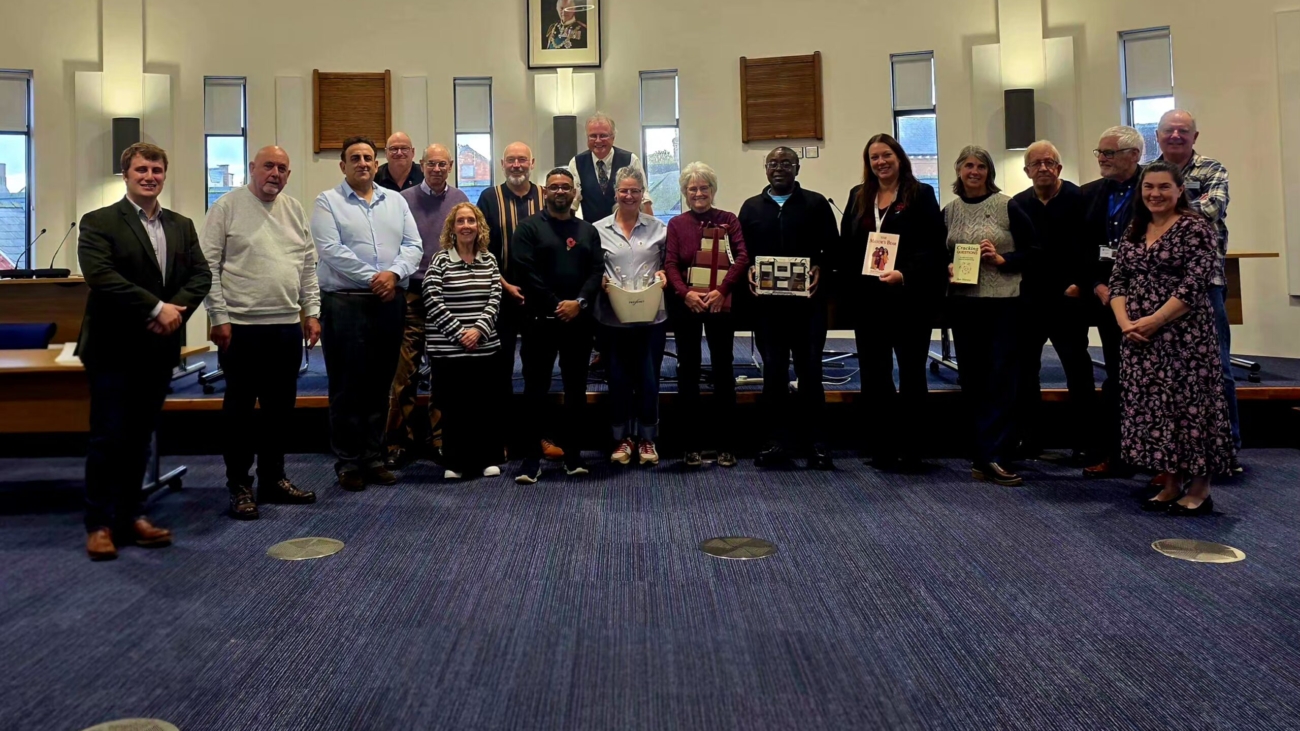
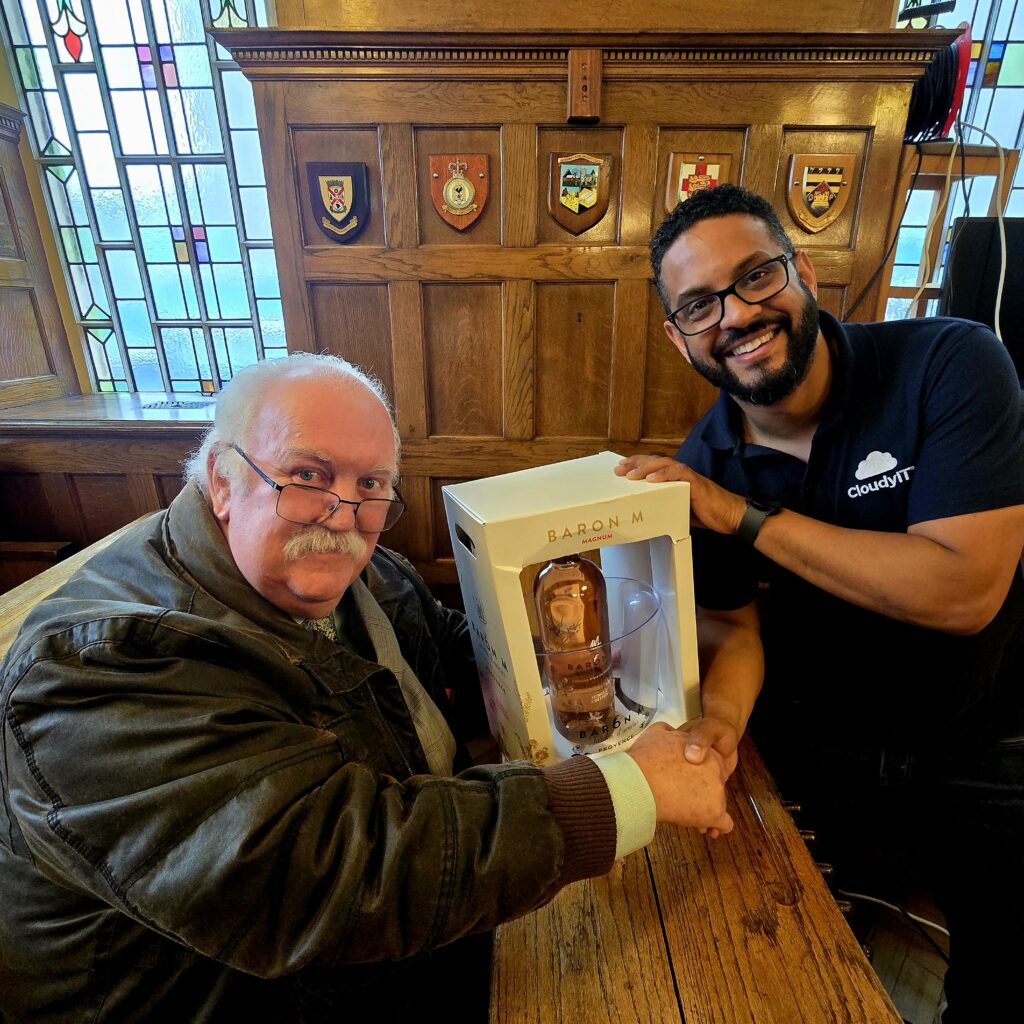
And congratulations to our free prize draw winners. All attendees were automatically entered, and unlike our earlier fuse mishap, this draw went off without a hitch. It was a fun way to round off the day and celebrate the enthusiasm and contributions of everyone who joined us. Pictured: Gwylim Rippon from Abermule with Llandyssil Community Council, one of our prize winners.

Why whave DisGovery Days 

DisGovery Days are about much more than showcasing the latest tech. They’re about connection: 

  • Building confidence in digital tools. 
  • Sharing experiences between councils. 
  • Sparking fresh ideas to make governance smarter, more transparent, and more efficient. 

Because while technology is important, it’s the relationships, skills, and shared resilience that really power digital transformation. 

Looking Ahead

Despite the rain (and the rogue fuse), our first Welsh DisGovery Day was a brilliant success. Attendees left with new skills, stronger networks, and fresh inspiration for the months ahead. 

And yes – next time we’ll be coming prepared with raincoats, spare fuses, and maybe even a back-up projector or two.

A group shot with happy Cloudy it staff and guests smiling

Don’t miss the next DisGovery Day

We’re already planning ahead, and the next stop on our journey will be at Costessy Town Council, Norwich, on 26 February 2026. 

If you’re a council clerkfinance officer, or digital champion, join us for another day of learning, networking, and inspiration. Spaces are limited, so make sure to secure your place early. 

Katherine Brown

Welcoming to Wales

Croeso I Gymru !

As they say/sing in Wales -We’ll keep a welcome in the hillside, we’ll keep a welcome in the Vales, This land you know will still be singing, When you come home again to Wales.

A warm welcome and signing are just two attributes of our new team member Katherine Brown. Katherine always has a smile on her face and is happiest when singing in one of her choirs.

Katherine is joining the Cloudy Team to help us deliver training through the medium of Welsh.

Welcome to Cloudy IT

A familiar face within the sector, as she was a clerk herself for many years as clerk in Caernarfon in North Wales, during which she was highly involved with SLCC running the Gwynedd and Anglesey branch for clerks and Chairman of SLCC for 6 years. , so a highly respected individual.Following that she spent some quality time on the road with her husband Garry Brown working for Blachere Illuminations doing all the exhibitions for the company. It was during that time that Cloudy built up our relationship with Katherine and could see the passion she has for the sector.

Earlier this year Katherine decided to come back to the sector when she started her role with One Voice Wales as the North Wales development Officer- back where she belongs, making a difference on a daily basis helping councils and clerks, so it made perfect sense for us to open dialogue with Katherine this year around helping us deliver our goal of delivering some of our training packages through the medium of Welsh. Our Welsh clients are very dear to us, so we wanted to ensure that they could receive training in their preferred language choice.

Katherine will deliver her first course in August this year and will be will us at our Welsh Discovery day for our Welsh clients in September.

Katherine said:

When she isn’t working hard she can normally be found preparing things for her business Plygiadau Perffaith where turns books into wonderful works of art – mind boggling if you’ve never seen it.

We are all very much looking forward to having Katherine as part of the extended Cloudy family .

Ai in Government Hero

AI in Local Government: Councillors Take the Lead

When the right partners come together, meaningful change follows. 

Our recent AI in Local Government workshop, delivered in partnership with Somerset Association of Local Councils (SALC), SOCITM, and the CloudyIT team, brought councillors, clerks, and officers together for a bold, scenario-led exploration of how AI can support local decision-making. 

But this wasn’t about technology for its own sake. 
It was about Members taking the lead—asking tough questions, shaping policy, and exploring how AI could help them deliver more for their communities.

Why Now? 

Across England, devolution is shifting responsibility. As principal authorities step back, town and parish councils—and their members—are stepping up. 

From planning and public safety to procurement and community engagement, councillors are being asked to do more with less. That means finding new ways to think, act, and lead. 

AI can help. 
Not by replacing human insight, but by supporting it: 

  • Efficiency gains in report drafting – saving time on policy documents while improving clarity and consistency 
  • Smarter research support – quickly identifying relevant legislation, guidance, and case studies to inform council decisions 
  • Better-informed decision-making – offering evidence-based insights and options that help Members weigh choices with greater confidence 

What the Workshop Covered:

Attendees worked through three practical, high-impact scenarios: 

  • Managing rising maintenance costs at a closed churchyard 
  • Responding to a major housing development application 
  • Preparing for Martyn’s Law and the Protect Duty 

The sessions focused on the role of councillors – highlighting where AI can support good governance, clear communication, and stronger local outcomes.

What Councillors Said:

The feedback was honest, insightful and encouraging: 

  • 93% believe AI could be beneficial to their council role
  • Half felt fairly confident using AI by the end of the event
  • Another third felt very or extremely confident
  • 80% would want a follow-up session

Inspiring Leadership from the Sector :

We were honoured to welcome: 

  • Sam Smith, Director of Institute, SOCITM, who opened the day with “Artificial Intelligence: Where to Begin?”—a brilliant, grounded introduction for Members navigating digital change 
  • Lewis Anderson, councillor and clerk, whose session explored the human side of AI in council life 
  • And of course, Somerset CALC, whose partnership brought the event to life.

Looking Ahead 

We’re continuing the conversation this November with Northants CALC. 

If you’re a councillor curious about how AI could support your role, improve service delivery, or help future-proof your council, join us. 

👉 Reserve your place now:  www.cloudyit.co.uk/ai-in-local-government 

Try GovAssist 

GovAssist is a free, council-focused AI assistant designed to support Members, clerks, and officers. 
Draft reports. Shape planning responses. Manage procurement. Communicate clearly—with confidence. 

→ Get started today at  govassist.co.uk 

Bucks Summer Tech Lab 2025

TechLab Bucks 2025: Real Skills for a Changing World

From 30th June to 4th July 2025, the Cloudy Foundation TechLab Challenge took place at Bucks New University’s Aylesbury Campus, bringing together students from across Buckinghamshire for a week of hands-on digital learning and real-world challenge. 

Six teams took part, representing: 

  • The Royal Latin School 
  • Aylesbury UTC 
  • Cressex Community School 
  • Sir William Ramsay School 
  • Stantonbury School (Milton Keynes) 
  • Cloudy Cadets – a cross-county team of selected students 

Each team was tasked with designing and presenting an AI-powered chatbot agent for TD SYNNEX, supported by a marketing campaign and promotional video. The format was designed to mirror a real workplace brief — with students stepping into defined roles across development, design, media and project management. 

Get a glimpse into the energy, creativity, and collaboration behind TechLab Bucks in our official recap video:

Photo Highlights

A Work Experience Alternative That Works 

With many schools now facing challenges in securing high-quality work experience placements, TechLab offered a structured, immersive alternative. Several of the participating schools used the programme to meet work experience requirements — providing students with exposure to real project expectations, deadlines, and collaborative team dynamics. 

Unlike traditional placements, where students may observe more than contribute, TechLab ensured every student had an active role — whether in coding, marketing, design, video production or presentation delivery. 

At a time when national reports point to a shortage of meaningful work experience opportunities across sectors, initiatives like this are helping bridge the gap between education and employment. 

Why This Challenge Matters 

This year’s TechLab Bucks event also coincided with newly released figures reported by The Telegraph, showing that entry-level job opportunities in the UK have declined by 32% since the launch of ChatGPT in November 2022. Graduate roles and junior positions are being hit hardest by automation, highlighting an urgent need to equip young people with digital skills and adaptable, work-ready experience. 

TechLab is built around that goal. Over the course of the week, students didn’t just explore AI in theory — they planned, developed and delivered live projects. Along the way, they strengthened their skills in communication, critical thinking, teamwork and time management — the kind of qualities employers consistently value. 

Friday Showcase and Award Winners 

The final day culminated in a live showcase and judging panel. Each team exhibited their chatbot concept and presented their campaign to an audience of peers, mentors, and guests from across the education and local government sector. 

Award Winners: 

  • 🏆 Best Overall Project: Team Nine Tech, Royal Latin School – for their chatbot, CHRONOSYNC 
  • 🎤 Best Presentation: Royal Latin School and Ten Tech with CoConnect 
  • 🎥 Best Video: Team ACER, Aylesbury UTC 
  • 🎨 Best Stand: Team Venus, Stantonbury School 
  • 🤖 Best CoPilot Agent: Team Test Flight, Aylesbury UTC 


Best Overall Project: Team Nine Tech, Royal Latin School

Thanks and Acknowledgements:

This event would not have been possible without the ongoing support of our partners and contributors. Special thanks to: 

Alex East and the team at Microsoft 
Sabrina Gosney and Mollie Rapson from TD SYNNEX 
Elena Baeva from 365 Talent Portal 
Nathan Davis at Bucks New University 
Steve McNay, Woughton Community Council 
Cllr Nidhi Meht, Mayor of Aylesbury and Buckinghamshire Councillor 

And to the Cloudy Foundation and CloudyIT team — Aaran, Katie, Ollie, Matthew, and Kirsty — for delivering two full weeks of planning, facilitation and on-the-ground support. 

Looking Ahead 

Between the Manchester and Bucks events, TechLab 2025 engaged over 80 students from 8 schools, each gaining practical experience and insight into the technologies and team skills shaping the future of work. 

In a job market that’s changing fast — and in an education system under pressure to find effective work experience placements — TechLab offers a model that works. 

Interested in joining or supporting a future TechLab?

Contact the Cloudy Foundation → 

"The Cloudy Foundation has really help me get a feel for the world of work. It's a great experience, whether you're developing an app or creating a video showcasing your achievements, and I would definitely recommend it to anyone who is interested in technology!"

TechLab - Student