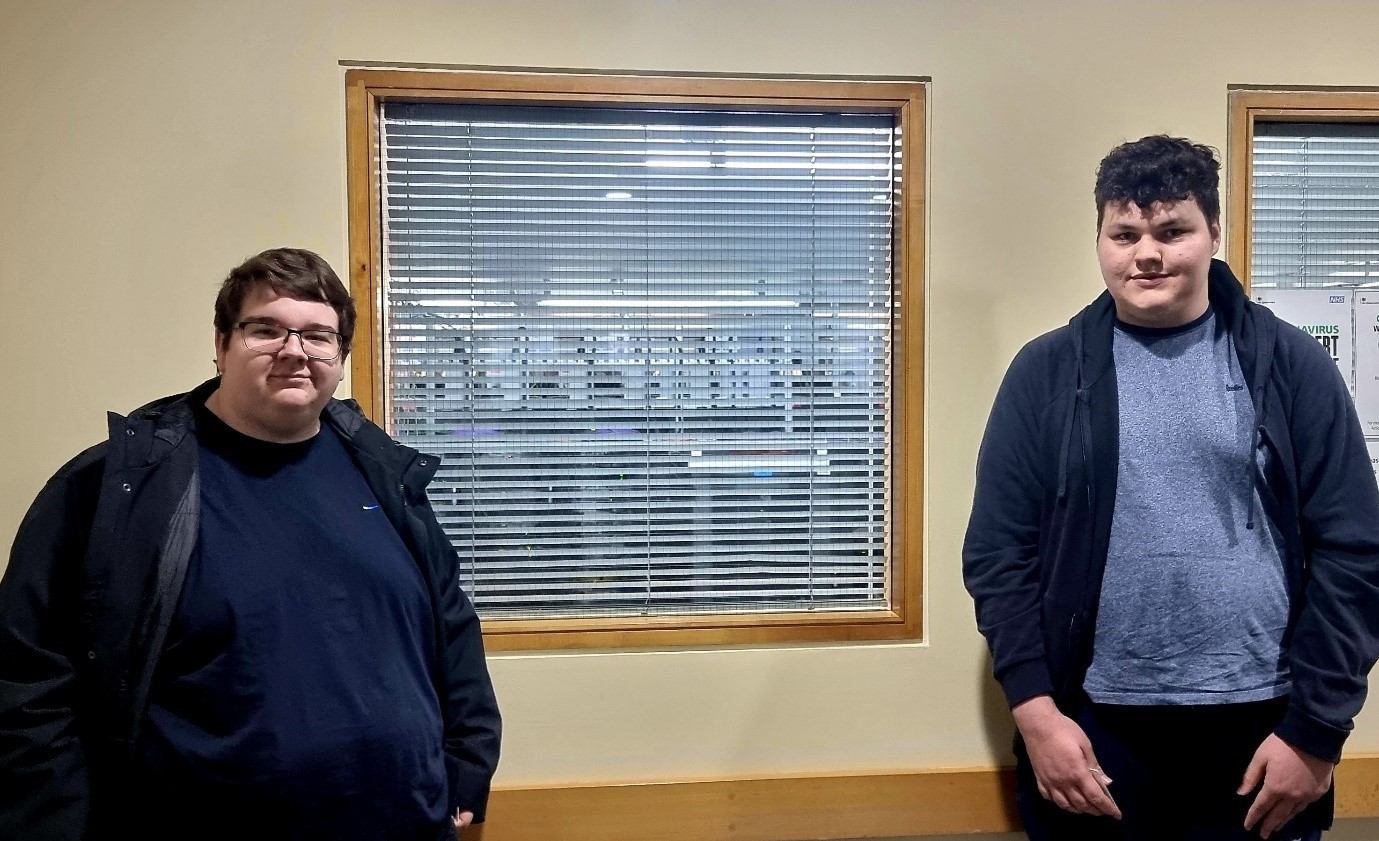
Jacob working at CloudyIT

Jacob’s Journey from the Enterprise Academy to Work Experience

I am Jacob and I spent the last week doing work experience at CloudyIT.

I found CloudyIT through the Cloudy Foundation Enterprise Academy, an online programme to educate students on the Microsoft Power Platform, which I have been attending for the past year.

The Enterprise Academy was an opportunity I found through school; where students attend virtual meetings to learn about Microsoft Power Apps and the Microsoft Power Platform in general.

I chose to do work experience at CloudyIT because our school decided against work experience this year and I wanted to do something to set me apart from my peers.

In that regard it has helped me greatly and will not only help me greatly with any job that requires knowledge surrounding the Microsoft Power Platform, but my week here has helped me understand that.

Jacob on PC

Work on the Cemetery App for Councils

As part of my work experience at CloudyIT, I helped to develop the Cemetery Management App, designed to help councils document grants, internments, and allotments for multiple cemeteries. This work ties into my experience at the Enterprise Academy, where we looked into the creation of the app.

My task was to look at what records could be viewed publicly and then add that functionality to the web page. After spending far too much time looking at government legislation, I found that all records were “available for inspection by the public at all reasonable times.”

When it came to this part of my work at Cloudy, integrating this into the app itself proved to be the hardest part; trying multiple approaches to the issue highlighted the importance of this experience in the workplace.

Using Power Pages

I worked on Power Pages, some of Microsoft’s new web page hosting/creation software and looked at how it could be used to help with other ongoing projects (such as the Cemetery Management App) or planned future projects such as Leighton Linslade’s community app project.

Leighton Linslade Council is looking into the creation of a programme to loan out devices to vulnerable adults who otherwise would not have any sort of access to this sort of help. To enhance the programme, we investigated how Power Pages could be used to make it a web page with an integrated portal. I was also tasked with creating some of the setup items for the projects, such as Power Platform tables and the Unified Modelling Language (UML) that helps us apply a standard way to visualise the design of a software system.

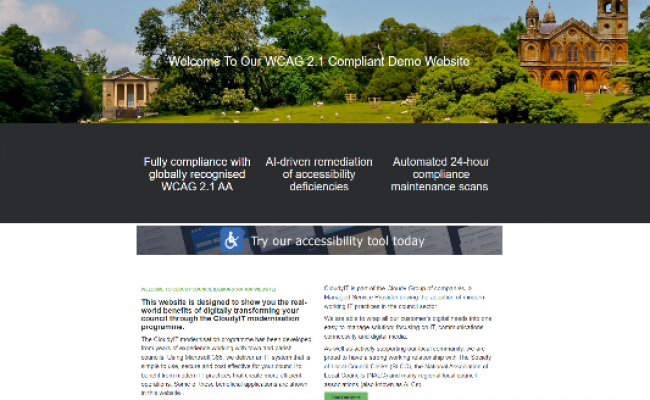
All this ties into the final thing I did which was create a parallel of the pre-existing Cloudy designed Council website in Power Pages to highlight the functionality of this platform. Below is the original vs what was created.

Scroll to view
SLIDE 1: Screen grab of the responsive Cloudy Council accessible demo website, vs SLIDE 2: Jacob’s replica using Power Pages showing a low-code, “drag and drop” website design that is responsive and can employ business data forms stored in the Microsoft Dataverse.

Conclusion

I really enjoyed the week (and a bit) I spent at CloudyIT. There was lots to do and everyone there was both helpful and encouraging.

When it comes to other students looking for work experience at Cloudy, I would highly recommend it as it offers both practical experience and opportunities for a future in the IT industry.

The Enterprise Academy was a big help when it came to finding these new opportunities and learning some of the things that are incredibly useful in the IT industry.

Callum on Surface Pro

Callum Nottingham’s Work Experience

I am Callum Nottingham and this last week I have been doing work experience at CloudyIT.

I found CloudyIT through a website that was sent out by my school which listed most companies and workplaces that had held work experience for people my age in the past. 

CloudyIT caught my eye because I have been studying computer science at school in the past couple of years and I thought it could work quite well with the computer science, so I looked through the website and learnt a little bit about them.  

I quite enjoy computer science but am not the best at it so I thought that working with CloudyIT may help me improve in that area, but it has helped me improve in many other areas too like using Microsoft apps and devices, helping and teaching people how to use these too.  

Event with charity partner, Cloudy Foundation

I learnt to help people through the Tech Lab event that was held at Bucks New University in Aylesbury that taught and helped students from The Grange School and Mandeville School to make an app and market it. 

This was held on the Monday, Wednesday and Friday, where the students were building an app to collect messages from workers to be put on the rainbow monument that has been built to remember and show appreciation to all the NHS workers that worked throughout the pandemic. 

Callum with team at Cloudy Foundation event on Wednesday

This is a photo of the team working on the event on Wednesday 13 July 2022.

More information about the Tech Lab event can be found here Nightingale’s Rainbow

Office work experience

On Tuesday and Thursday, I edited live video events into smaller chunks based on topic and who was explaining the topic.

I also helped to pack up the Microsoft Surface Go devices that were being borrowed from Microsoft before and after the events, and went through them to collect the work done by all four of the teams.  

The main photo at the top of this article is of me trying to get the students’ videos. 

I also helped by boxing and making hampers with CloudyGroup branded items like coffee cups and water bottles. 

Here is a photo that:

Callum making customer packs

Work experience online

I was also involved in some of the Microsoft TEAMS’ meetings. Some of these were about the recent sales and how the business was resolving issues which helped me learn how to resolve issues like these in the future and how to finish sales.  

I also sat and watched the APPY Hour that is held monthly by CloudyIT. In this webinar they explained how to use some especially useful apps that can help the councils that CloudyIT partners with.

Here is a photo of this month’s APPY Hour. 

Teams APPY Hour event

My conclusion

I really enjoyed the week of work experience even though the first couple of days were a bit manic and stressful. I especially enjoyed the event and seeing the students progressively develop their apps. 

To other students looking for work experience I recommend being confident when getting in touch with the company that you are looking to work with; don’t overthink it but still put in the effort to be respectful and polite. 

It has been a pleasure having Callum come and join us for his work experience. He was thrown in at the deep end with an event day one but did a fantastic job supporting the students and assisting the team.


Through the two weeks of his work experience he has done an excellent job assisting engineers and working on projects.

I hope it has given him a genuine experience of what it's like when leaving school. I wish Callum all the best in his future endeavours and am sure whatever he chooses to do he’ll do a fantastic job.

David Hall
David Hall
Managing Director, CloudyIT
Kane working on the inspection app

Kane’s Work Experience Story

Hi, my name is Kane Partridge, I am 16 years old and in my spare time I do lots of coding in C#, C++ and a bit of Java. 

I have currently been working on a Point-Of-Sale app project, trying to make it work with specialised hardware, like barcode scanning phones.

How I got here

I have chosen computer science, product design and business studies for my A levels which I will be taking next year. I wanted to go into a career of software development or networking infrastructure.

I first found CloudyIT when I was looking into finding work experience, from there I found out about the Cloudy Foundation Enterprise Academy program where they teach software development with the Microsoft Power Platform.


Using Microsoft 365

The Power Platform allows apps to be made which run off centralised data connections and can be run inside Microsoft TEAMS or on the web.


My app-building work experience

When my work experience week started on the 28th March I was tasked with creating a Fire Extinguisher Inspection app for Oakpark Alarms.


Scope of work

They needed an app which could run on a tablet and allow their inspectors to easily record the inspections. The app also needed to cover workflows for potential issues, such as:

  • If there are issues with the extinguishers or they don’t pass the inspection, a repair automatically needs to be created so that someone in the admin part of the company can arrange another date for an engineer go out and fix the problems.
  • A way to manage all of their clients and the sites that Oakpark service for that client.
  • Linking all the repairs and inspections so that all their data is tied together.


My journey

At the start of the week, I didn’t know much about the Power Platform or how it can be used and what it can do, but after the second day and some help from the developers at Cloudy I was able to make apps that worked with Dataverse table in Power Platform.

What I did:

  • Learned about data structuring and creating these into tables
  • Learned how data is connected to Microsoft Power Apps and how it can be made in Dataverse or SharePoint
  • Learned about templates and how they should be used to create unified looking apps
  • Learned about how to use colour themes which suit the client and their business
  • Made Oakpark app in Power Apps


What I found most challenging:

  • Learning all the different macros and commands that Power Apps have and using them correctly
  • Making the user interface to fit in with other apps that CloudyIT has already made
  • Trying to finish the app in the timeframe given while still trying to include all the features that the client had requested


Completing the app

With the information that they taught me I was able to finish the app that they needed in 4 days, ready to be shown to the client at the 2 times weekly Cloudy Foundation Enterprise Academy meetings.

From what the clients said, they were happy with how the app was developing but they had more suggestions that they wanted to be added to the app to make their inspection workflow better.


Day trip to a Data Centre

On the Wednesday we got to go to the Data Centre that some of Cloudy’s servers are rented from. I found this a really interesting place to go as it’s a field that I am interested in. Seeing all of the security and massive high powered networking equipment was amazing. I enjoyed seeing how all the computers and virtual machines are run on the hardware that Cloudy has in the rack, and was interested to see how it was all connected to each other and operates.

Kane at the Data Centre

My time with a network engineer

On the Friday, I got to talk to one of the CloudyIT network engineers who sets up all their networking and server equipment. He went through how they setup services like pfSense for VPNs, how network attached storages are setup, and how phone systems can be structured with services like FreePBX. He also went through the different systems for servers using Hyper V and VMware, as well as some of the benefits of using Windows or Linux, and in what situations they are better or worse.  


My experience

Overall, I have really enjoyed my experience and what I have learnt at CloudyIT and in the Enterprise Academy for my work experience.

I have learnt lots about software and networking which I can take into real world uses, and I feel this gives me a real head start into the fields that I want to go into as a career.  

Want to do what Kane did?

Read more about this Enterprise Academy project and how to get involved.

Contact us or register your interest on the Cloudy Foundation website.

JOIN THE ENTERPRISE ACADEMY

Get Involved
PARTICIPATE, VOLUNTEER, OR SPONSOR AN APP PROJECT

Cloudy Foundation programmes give young people (aged between 14 and 24) creative licence to discover, develop and celebrate new technical and interpersonal skills, build relationships with educational mentors, and open up exciting new employment opportunities.

REGISTER WITH CLOUDY FOUNDATION