Advanced Teams for Smarter Councils
Overview:
This advanced session is designed for delegates who already use Microsoft Teams and want to work more strategically across communication, collaboration, and file management. It explores how to structure Teams effectively, improve meeting and chat practices, and make better use of the Microsoft 365 tools connected behind the scenes, and use Copilot to summarise shared content and support follow-up.
Key Topics:
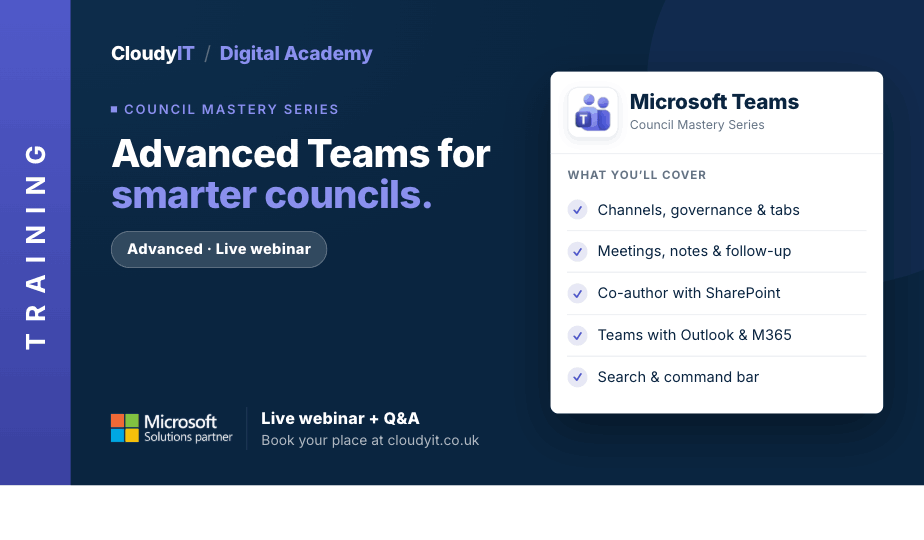
- Channels, Governance & Tabs
- Advanced Chat & Communication
- Meetings, Notes & Follow-up
- File Collaboration & SharePoint Integration
- Using Copilot in Teams to summarise, locate, and support follow-up from shared documents and meeting files
- Teams with Outlook & Microsoft 365 Apps
- Notifications, Search & Productivity Tools
These practical scenarios show how the skills from this session apply to more confident, joined-up teamwork and communication across your council.
Scenarios:
1. A council project team needs channels and tabs organised properly so agendas, actions, files, and updates are easy to find.
2. Staff want to reduce clutter in chat by using formatting, @mentions, reactions, and replies more effectively.
3. Officers need a better way to schedule, run, record, and follow up council meetings in Teams.
4. Multiple people are editing the same council report and need to co-author files confidently without losing changes.
5. A project team uses Copilot in Teams to summarise shared meeting files, locate the latest version of a council document, and identify follow-up actions linked to that work.
6. A clerk wants Outlook and Teams to work together more smoothly for meetings, invitations, and follow-up communication.
7. Delegates are overwhelmed by alerts and want to customise notifications, so they stay informed without constant interruption.
8. A council wants to bring Planner, OneNote, Forms, and Loop into Teams to support more joined-up working.
9. Staff need to find a message, file, or person quickly using search and the command bar instead of scrolling through conversations.
10. Officers attending site visits, events, or community meetings want practical ways to stay productive using Teams on mobile.
11. A council wants clear etiquette for Teams, so channel naming, communication, and file organisation stay consistent.
Who Should Attend:
Ideal for council staff who already use Teams and want to work more confidently, consistently, and strategically. This session is especially useful for those ready to move beyond the basics and take greater control of how Teams supports day-to-day council work.
Pricing:
- Free for CloudyIT customers using a training credit
- £65 for non-CloudyIT customers (read T&Cs)
Continue Your Digital Learning Journey:
Take the next step with sessions on Planner, Forms, OneNote, Bookings, and Loop to extend how Teams supports collaboration, planning, and communication.
Keep Building Your Digital Confidence:
- Try the Microsoft 365 Digital Skills Audit Tool
- Join an AI in Local Government Members’ Day
- Come along to a DisGovery Day in person