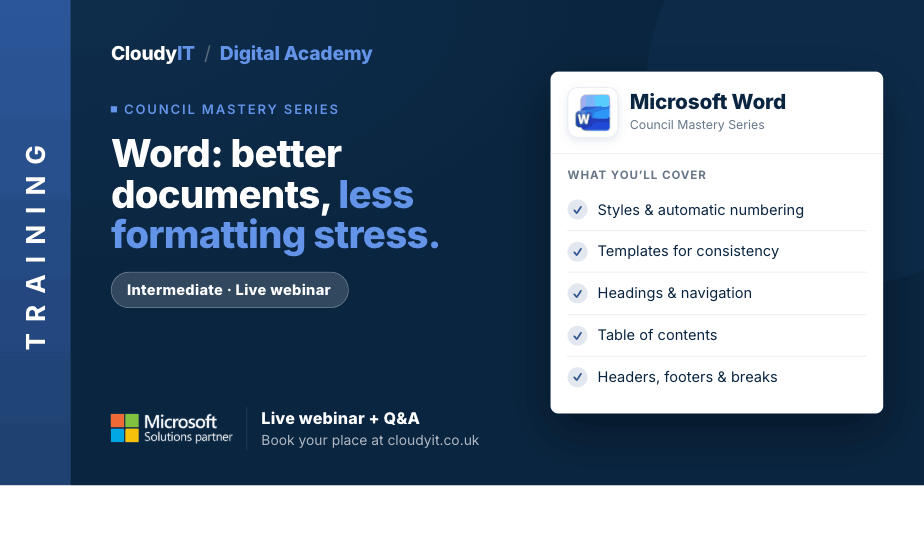
Word – Better Documents, Less Formatting Stress
Overview:
This practical session is designed for those who want to create better-structured Word documents with less frustration. Learn how to control formatting, manage longer documents more confidently, improve navigation with references and a table of contents, and create more consistent reports and other structured council documents that are easier and less stressful to manage. It also shows how Copilot can help review structure, suggest clearer headings, summarise sections, and improve document flow.
Key Topics:
- Using styles to create consistent formatting and automatic numbering
- Promoting and demoting headings to organise content clearly
- Creating and using templates for document consistency – no overtyping
- Protecting documents
- Working with headers, footers, and page numbers for different sections
- Managing page and section breaks
- Adding bookmarks and cross-references
- Applying a table of contents
- Using Copilot to review document structure, suggest clearer headings, improve flow, summarise sections, and identify areas where longer council documents could be easier to navigate
These practical scenarios show how the skills from this session apply to longer, more structured council documents that need to stay consistent and easy to manage.
Scenarios:
1. At the end of a busy day, a clerk inherits a lengthy council report where headings and multi-level numbering are inconsistent, sections do not flow properly, and updating the table of contents feels stressful, frustrating, and time-consuming.
2. A clerk is trying to finalise committee minutes before publication and needs consistent headings, section breaks, and page numbering so confidential appendices are clearly separated from the public version.
3. A clerk is preparing a health and safety report for councillors and needs bookmarks and cross-references so readers can quickly move between recommendations, actions, and supporting evidence.
4. A clerk has been handed a draft parish plan that feels muddled and needs to promote, demote, and move headings so the structure is clearer before councillors review it.
5. A clerk needs to share a staff procedure document with managers but wants to protect the approved wording while allowing key sections to be completed safely.
6. A clerk has inherited a long council report with inconsistent headings, unclear section order, and a table of contents that no longer feels reliable. They use Copilot to review the document structure, suggest clearer section headings, summarise key areas, and help identify where styles, numbering, and navigation could be improved before councillors review it.
Who Should Attend:
Ideal for anyone who works with reports, agendas, minutes, policies, or other longer Word documents and wants to manage structure and formatting more confidently. This session is especially useful for those creating documents that need to stay consistent, professional, and easy to update..
Pricing:
- Free for CloudyIT customers using a training credit
- £65 for non-CloudyIT customers (read T&Cs)
Continue Your Digital Learning Journey:
Take your Word skills further with Word – Polished Documents and Smarter Workflows, designed for council staff who already create documents regularly but want to work faster, tidy up formatting with less frustration, and produce more professional results.
Keep Building Your Digital Confidence:
- Try the Microsoft 365 Digital Skills Audit Tool
- Join an AI in Local Government Members’ Day
- Come along to a DisGovery Day in person