New Outlook Advanced – Collaboration, Copilot and Automation
Overview:
This advanced session builds on New Outlook Essentials by moving beyond inbox confidence into smarter collaboration, automation, Copilot support, and safer information handling. It is ideal for busy clerks and council staff who want Outlook to work more effectively with meetings, tasks, groups, and the wider Microsoft 365 tools they use every day.
Key Topics:
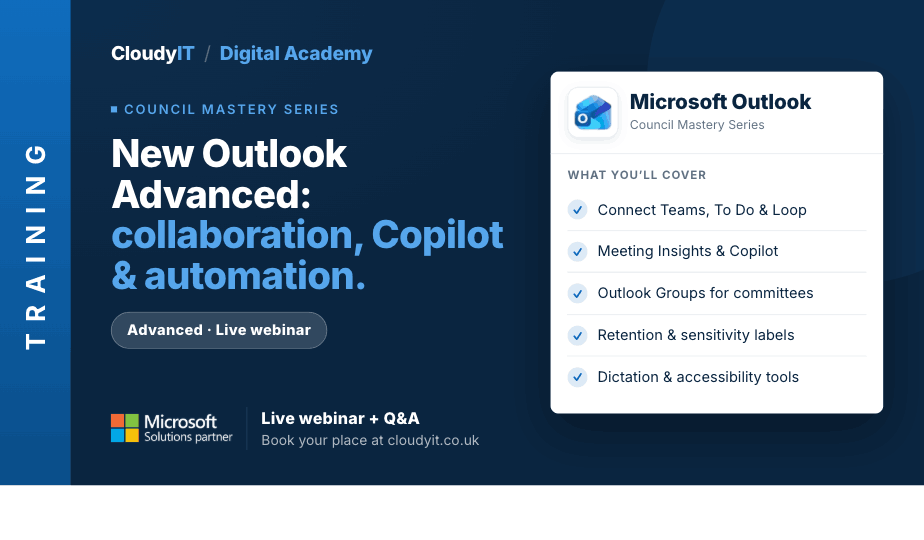
- Working across Microsoft 365 – connecting Outlook with Teams, To Do, Loop, Bookings, and other apps
- Copilot and Meeting Insights – summarising emails, preparing for meetings, and finding related content faster
- Calendar and meeting management – RSVP options, meeting attachments, polls, and follow-up actions
- Inbox automation and organisation – rules, categories, groups, flags, My Day, and task creation
- Outlook Groups and collaboration – creating groups for committees, projects, shared conversations, files, and calendars
- Information governance – using retention labels, sensitivity labels, and safer sharing practices
- Accessibility and productivity tools – dictation, immersive reading, zoom, screen recordings, and Quick Parts
These practical scenarios show how the skills from this session apply to everyday council email, diary, and time management tasks.
Scenarios:
1. A busy clerk needs Outlook, Teams, To Do, Loop, and Bookings to work together so meetings, tasks, and resident appointments are easier to manage.
2. Before a packed committee meeting, a clerk uses Meeting Insights and Copilot to pull together emails, attachments, shared files, and previous meeting information quickly.
3. A clerk needs stronger calendar and meeting control, using RSVP options, meeting attachments, polls, and follow-up actions to keep everyone informed.
4. An overflowing inbox needs rules, categories, flags, My Day, and task creation so important emails do not get forgotten.
5. A clerk creates an Outlook Group for a committee or project so conversations, files, calendars, and updates are kept together.
6. Council emails need retention labels, sensitivity status, and safer sharing practices so information is handled appropriately.
7. A clerk uses accessibility and productivity tools such as dictation, immersive reading, zoom, screen recordings, and Quick Parts to work more efficiently.
Who Should Attend:
Ideal for clerks, administrators, and council staff who already use New Outlook regularly and want to take greater control of collaboration, meetings, follow-up, and information handling. This session is especially useful for those ready to move beyond inbox basics and use Outlook more strategically alongside Microsoft 365 tools.
Pricing:
- Free for CloudyIT customers using a training credit
- £65 for non-CloudyIT customers (read T&Cs)
Continue Your Digital Learning Journey:
Continue your learning journey with Loop for Shared Ideas and Team Working to build on Outlook collaboration and explore how teams can plan tasks, share ideas, and move projects forward together across Microsoft 365.
Keep Building Your Digital Confidence:
- Try the Microsoft 365 Digital Skills Audit Tool
- Join an AI in Local Government Members’ Day
- Come along to a DisGovery Day in person