CloudyIT has partnered with Decisions to bring you a Microsoft 365 meeting management solution that guarantees to make your council meetings more collaborative, productive, and organised.
Complementing our Meeting Management App that helps councils to schedule meetings quickly and easily, the Decisions tool helps clerks and officers to speed up facilitation of their council’s meeting preparation, execution and follow-up.
Materials remain within your organization’s Office 365 tenant under existing security policies. We do not store customer data.
Single Sign-On
Decisions is compliant with single sign-on and security mechanisms like Azure Multi-Factor Authentication and Azure Information Protection.
Agenda Builder
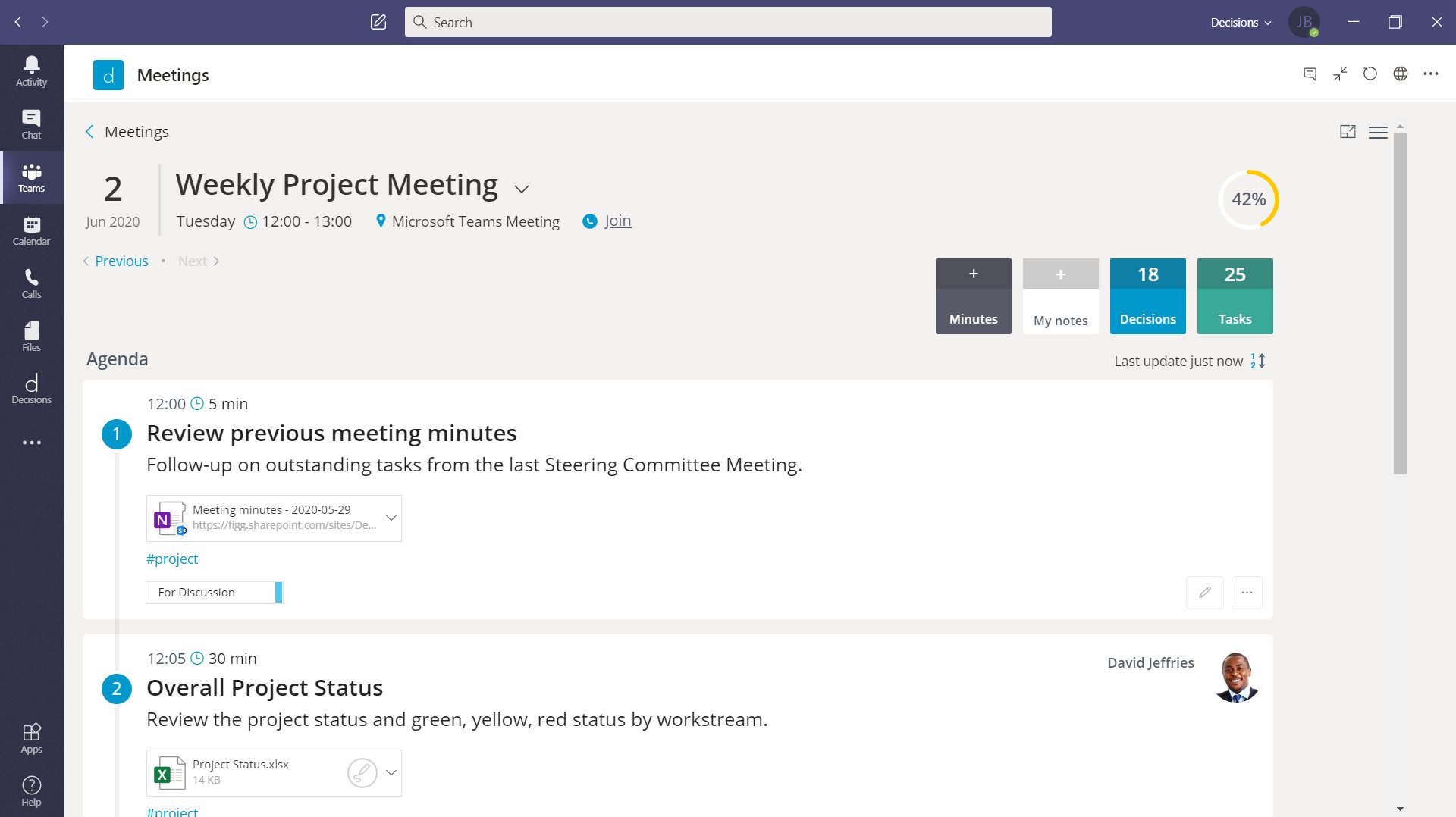
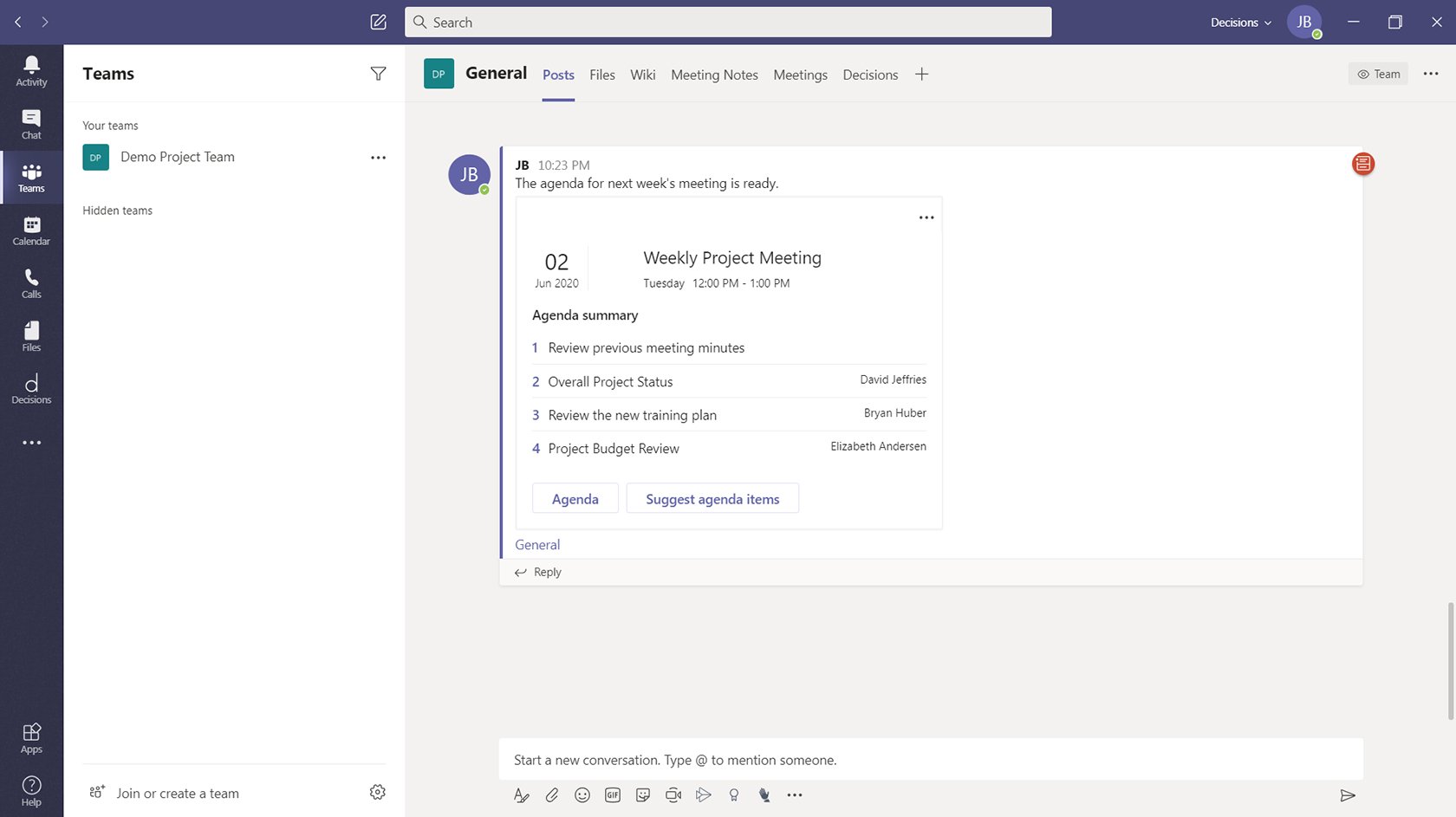
Create a professional meeting agenda in Teams or Outlook. Participants can upload files, suggest topics, ask questions and leave comments.
Invite Guests
Invite guests as presenters, contributors or participants, and add them to one topic or the whole meeting.
Meeting Book
Consolidate the agenda and attachments into a single PDF document that can be shared with meeting participants.
Minutes
Merge the agenda into a Word or OneNote template with a single click for easy meeting minutes.
Time Tracker
A visual cue tracks agenda items based on their allotted time to keep meetings on schedule.
Speaker List
Speak Now for Teams creates an ordered speaker list that allows for rejoinders and requests for recess.
Vote Now
Run official voting directly from Microsoft Teams through a secure and orderly process.
Action Items
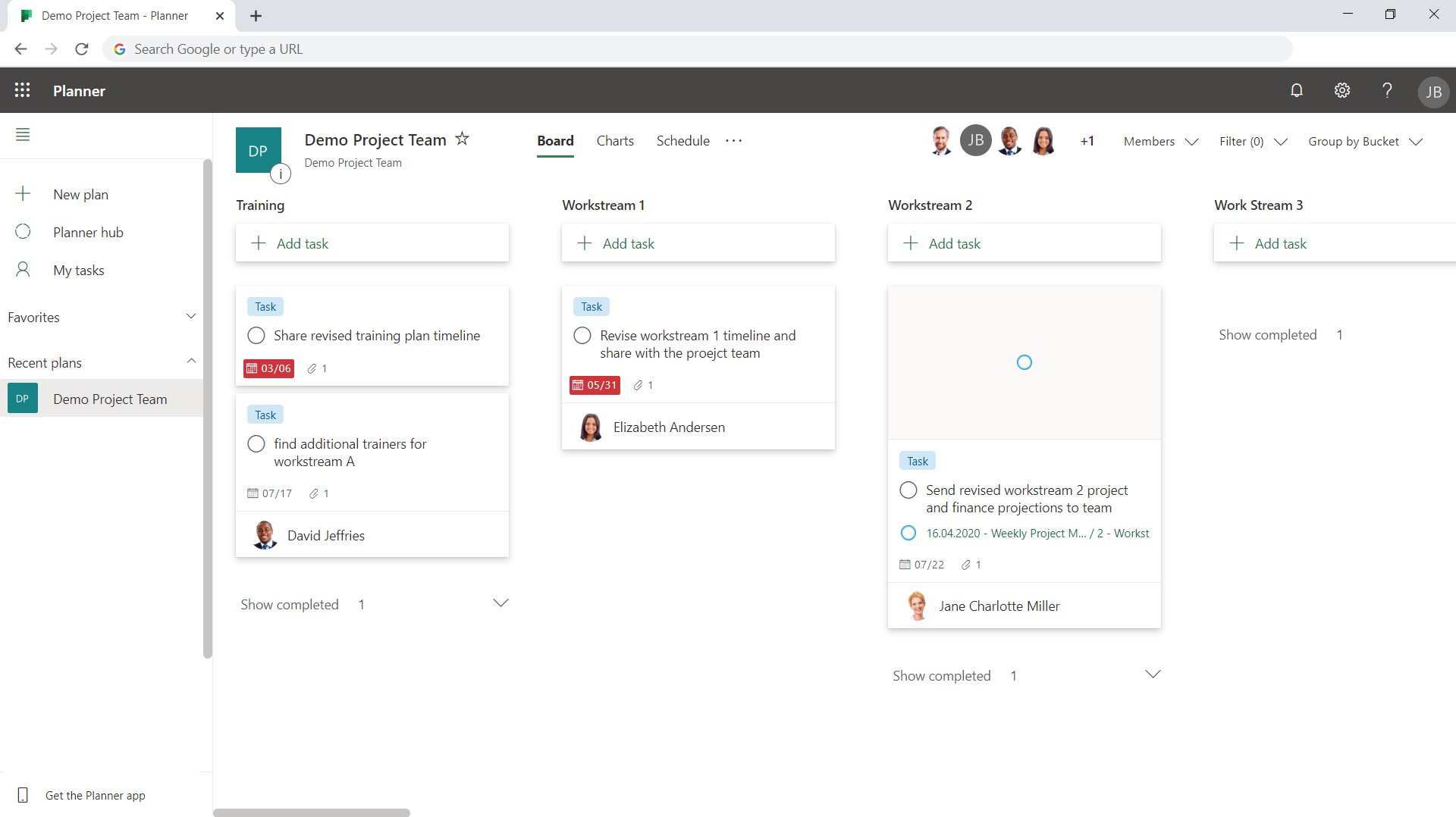
The smart-text feature recognizes tasks and decisions during note-taking and syncs them to Planner. Participants receive instant email notifications for tasks.
Meeting Planner
Create agenda templates, send postponed topics to a backlog, set up an annual plan for your meeting series and more.
Device Neutral
Decisions is a cross-platform solution available on all mobile, tablet and desktop devices and browsers supported by Office 365.
How it Works
Step 1:
Build the agenda with the Decisions Meeting Secretary, directly from Outlook and structured with topics, presenters and files.
Step 2:
Prepare & collaborate by attaching documents to be presented in the meeting, capturing notes and comments from the team, and only ever having the meeting overview one click away from your calendar on any device. Then, easily record action items and decisions during the meeting.
Step 3:
Keep track of time, take meeting minutes and assign tasks quickly and easily. Never have to copy and paste from the previous minutes file again. Instead, you can generate meeting minutes in Microsoft Word or OneNote, then send the documents for review before producing the final PDF-version directly from Word to send out.
Step 4:
Sync tasks and decisions with Microsoft Planner to keep track of tasks, notify team members and follow up items from meeting actions using Planner and/or Excel. Meeting materials are automatically saved in the group SharePoint site for optimal document management too.
Integration with Microsoft Teams
Never again have to search Outlook to remember when you last met or scour email to remember what was decided at a previous council meeting!
Decisions integrates into the existing collaborative Teams experience so that your council staff can quickly and easily access lists (such as for upcoming meetings, recent meeting notes and past meeting outcomes) from tabs within Microsoft Teams.
Seamlessly Plan, Run and Follow Up Meetings from Microsoft Teams
Facilitating virtual council meetings couldn’t be easier using features that have been specially designed to help the chairperson manage their meeting.
Special integrations such as “Speak Now” and the “Vote Now” features available from the Meeting Chair dashboard are just some of the functions available that councils who experience them can no longer do without!
Speak Now for Microsoft Teams
Speak Now allows meeting participants in Microsoft Teams to “raise their hand” if they want to speak on a specific topic. It eliminates the chaos of people talking over one another and keeps virtual meetings moving forward.
FOR MEETING ORGANIZERS – Meeting chairs can organise discussions with a speaker list. Click the three buttons in the bottom right of the chat window and select “Speak Now.” From there, you will be prompted to create the speaker list card. You can also post @Speak Now in the Teams meeting chat.
The speaker list will be created in the order that meeting participants raise their hand. As organizers move to the next person, the current speaker is highlighted and a check mark will be displayed next to attendees who have already spoken.
FOR PARTICIPANTS – When meeting participants see the Speak Now card in the meeting chat panel, they click the “Raise hand” button to be added to the speaker list. If enabled by the meeting organiser, they can reply to a current speaker by clicking “Remark” and request a recess or address an urgent issue by clicking “Timeout.”
Vote Now
With Vote Now, councils can run official voting directly from Microsoft Teams, through a secure and orderly process.
See the video below for an demonstration of how the voting feature works.
Talk to us about how they can help your council today
Attendee preparation and agenda quality, as measured by the Meeting Engagement Score™, improved 76% among active users of Decisions.
1%
Time spent coordinating meetings is reduced by 30% – planning, managing updates, etc.
1%
of customers say they experience more energy and productivity in meetings organized with Decisions.
1%
"Before, our focus was on capturing meeting minutes. Now, thanks to Decisions, we focus significantly more on actions and decisions. These small and integral changes in the way we organize and follow-up on meetings leads to a powerful result that truly improves our business execution."
Chief Financial Officer, Tine
Request a demo – Free 30-day trial
NEXT STEPS
Talk to our Experts
Get in touch for a free demo or consultation
Talk to us about optimising meeting management at your council.
We use essential cookies necessary for the operation of our website. We'd like to set some additional cookies to understand how you use our website, remember your preferences, and improve your experience.
Please use the link below to manage your Cookie Settings or click the "Accept" button to consent to the use of ALL cookies.
To help you decide, you can read more about the cookies we use at our Cookie Policy.
This website uses cookies to improve your experience while you navigate through the website. Out of these, the cookies that are categorized as necessary are stored on your browser as they are essential for the working of basic functionalities of the website. We also use third-party cookies that help us analyze and understand how you use this website. These cookies will be stored in your browser only with your consent. You also have the option to opt-out of these cookies. But opting out of some of these cookies may affect your browsing experience.
Necessary cookies are absolutely essential for the website to function properly. These cookies ensure basic functionalities and security features of the website, anonymously.
Cookie
Duration
Description
cookielawinfo-checbox-analytics
11 months
This cookie is set by GDPR Cookie Consent plugin. The cookie is used to store the user consent for the cookies in the category "Analytics".
cookielawinfo-checbox-functional
11 months
The cookie is set by GDPR cookie consent to record the user consent for the cookies in the category "Functional".
cookielawinfo-checbox-others
11 months
This cookie is set by GDPR Cookie Consent plugin. The cookie is used to store the user consent for the cookies in the category "Other.
cookielawinfo-checkbox-necessary
11 months
This cookie is set by GDPR Cookie Consent plugin. The cookies is used to store the user consent for the cookies in the category "Necessary".
cookielawinfo-checkbox-performance
11 months
This cookie is set by GDPR Cookie Consent plugin. The cookie is used to store the user consent for the cookies in the category "Performance".
viewed_cookie_policy
11 months
The cookie is set by the GDPR Cookie Consent plugin and is used to store whether or not user has consented to the use of cookies. It does not store any personal data.
Functional cookies help to perform certain functionalities like sharing the content of the website on social media platforms, collect feedbacks, and other third-party features.
Performance cookies are used to understand and analyze the key performance indexes of the website which helps in delivering a better user experience for the visitors.
Analytical cookies are used to understand how visitors interact with the website. These cookies help provide information on metrics the number of visitors, bounce rate, traffic source, etc.
Advertisement cookies are used to provide visitors with relevant ads and marketing campaigns. These cookies track visitors across websites and collect information to provide customized ads.
Other uncategorized cookies are those that are being analyzed and have not been classified into a category as yet.
Stay up-to-date with the latest CloudyIT news & events
We are digital transformation experts, helping councils, law firms, charities and SMEs to transform their IT and embrace modern, more efficient systems and working practices.